CMwww.chaptermuse.com › Help › Background zen
Add a Background to Your Writing Workspace
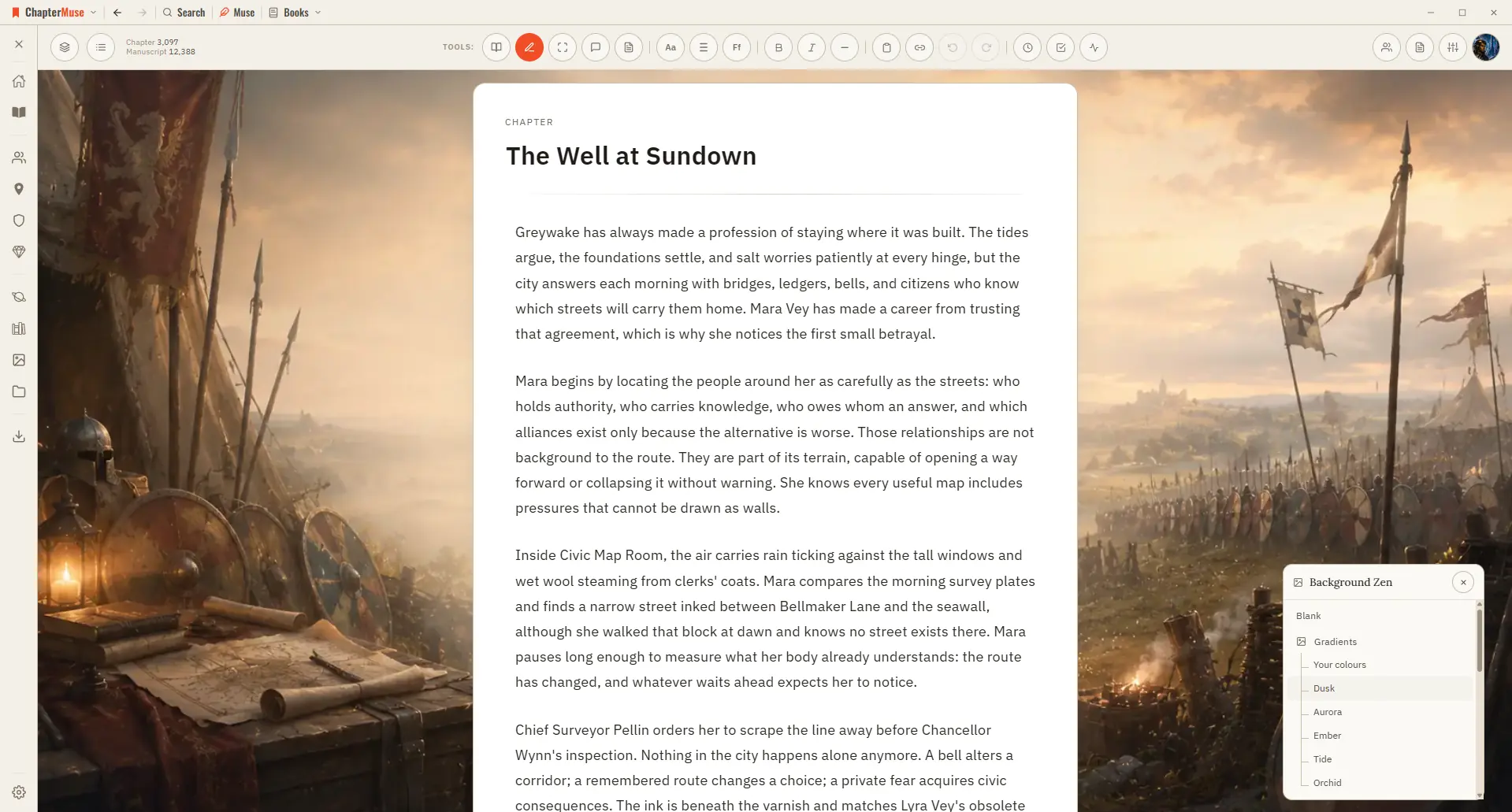
Set the scene behind your words with an atmospheric backdrop that fits your story. Updated 4 September 2026 Sometimes the right atmosphere helps the words flow.
About 125 results (0.062 seconds)
CMwww.chaptermuse.com › Help › Background zen
Set the scene behind your words with an atmospheric backdrop that fits your story. Updated 4 September 2026 Sometimes the right atmosphere helps the words flow.
CMwww.chaptermuse.com › Feature › Muse
Non-AI writing and on-device craft tools do not. 30 days · everything unlocked · no card
CMwww.chaptermuse.com › Help › Writing tools
In the whole writing studio Move from protected checkpoints through proofing, craft analysis and whole-book signals. See the revision workflow
CMwww.chaptermuse.com › Page
During the trial all of it is unlocked. Afterwards, this is what separates the three licences.
CMwww.chaptermuse.com › Daily › Tasks › Observation 32
Invent new words using its rhythm. Use your own story, or invent something just for this.
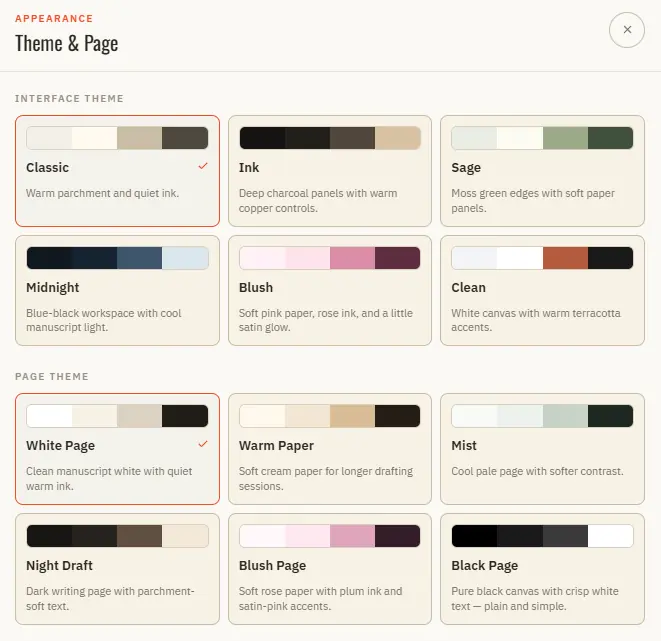
CMwww.chaptermuse.com › Help › Appearance
In the whole writing studio No tool here works alone. See how planning reaches the page, how the page reaches revision, and how a draft becomes a finished book.
CMwww.chaptermuse.com › Help › Focus mode
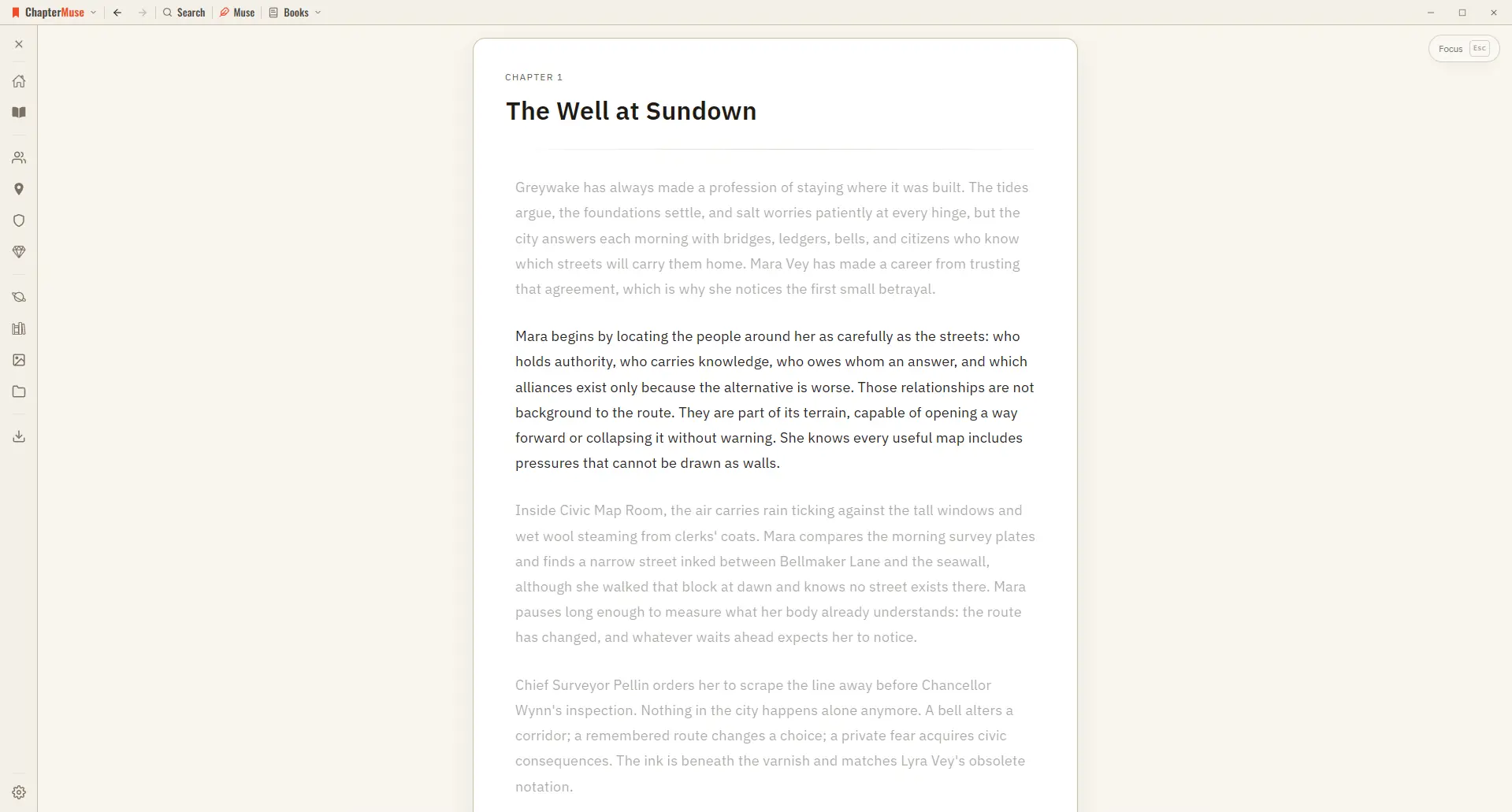
The line you're writing stays centred as a typewriter scroll keeps it in place, and the rest of the page softly dims — so your eye rests exactly where the words are appearing.
CMwww.chaptermuse.com › Help › Local first
So ChapterMuse opens instantly, keeps every word private to your machine, and works exactly the same at your desk or on a plane with no signal.
CMwww.chaptermuse.com › Help
Targets & Writing History Gentle goals backed by an honest writing ledger. Revision Passes Protected checkpoints, revision intentions, and an honest before-and-after.
CMwww.chaptermuse.com › Help › Daily
Updated 4 September 2026 Visit Daily Writing Exercises and ask Muse for today's task. Everyone receives the same exercise.