CMwww.chaptermuse.com › Help › Bookshelf
Create and Organise Manuscripts on the…
Hover a cover and it opens like a real book to show the first few lines of your story. Click it to drop straight into the writing canvas.
About 115 results (0.065 seconds)
CMwww.chaptermuse.com › Help › Bookshelf
Hover a cover and it opens like a real book to show the first few lines of your story. Click it to drop straight into the writing canvas.
CMwww.chaptermuse.com › Feature › Book formatting
tex book, divided into front matter, body and back matter RTFThe format every word processor still opens ODTOpenDocument, for LibreOffice and its kin Plain textJust the words, nothing around them And the work around it ExcelYour…
CMwww.chaptermuse.com › Help › Workspace views
See how planning reaches the page, how the page reaches revision, and how a draft becomes a finished book. Explore every ChapterMuse feature
CMwww.chaptermuse.com › Help › Story world
✦Quick start 1Open ChapterMuse — you arrive at Story World automatically. 2Click Manuscripts to open your Bookshelf and start writing.
CMwww.chaptermuse.com › Feature › Muse
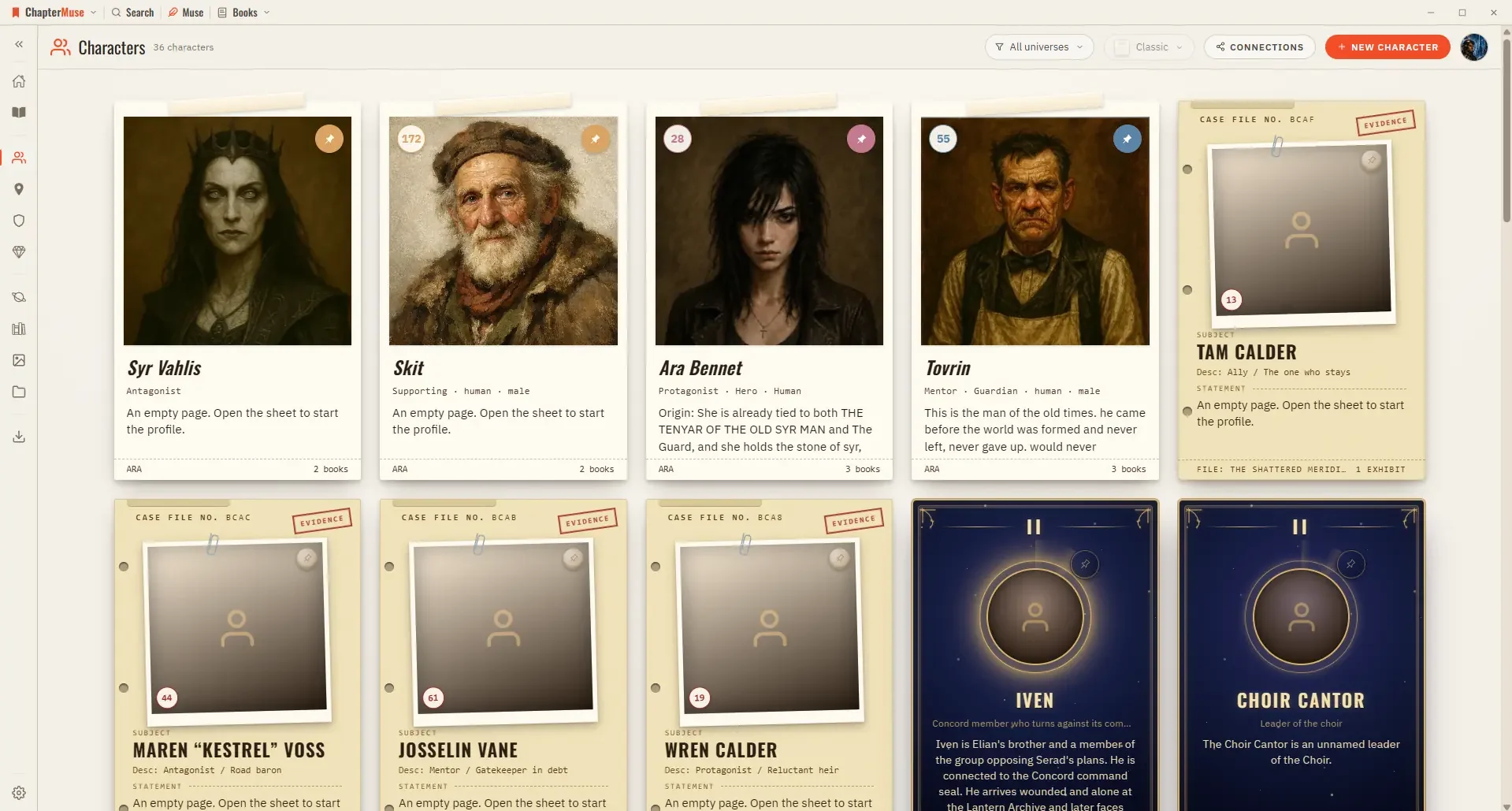
Ask about a chapter, a person, a research file or the whole story world. Muse reads within the scope you choose and answers from material you have already assembled.
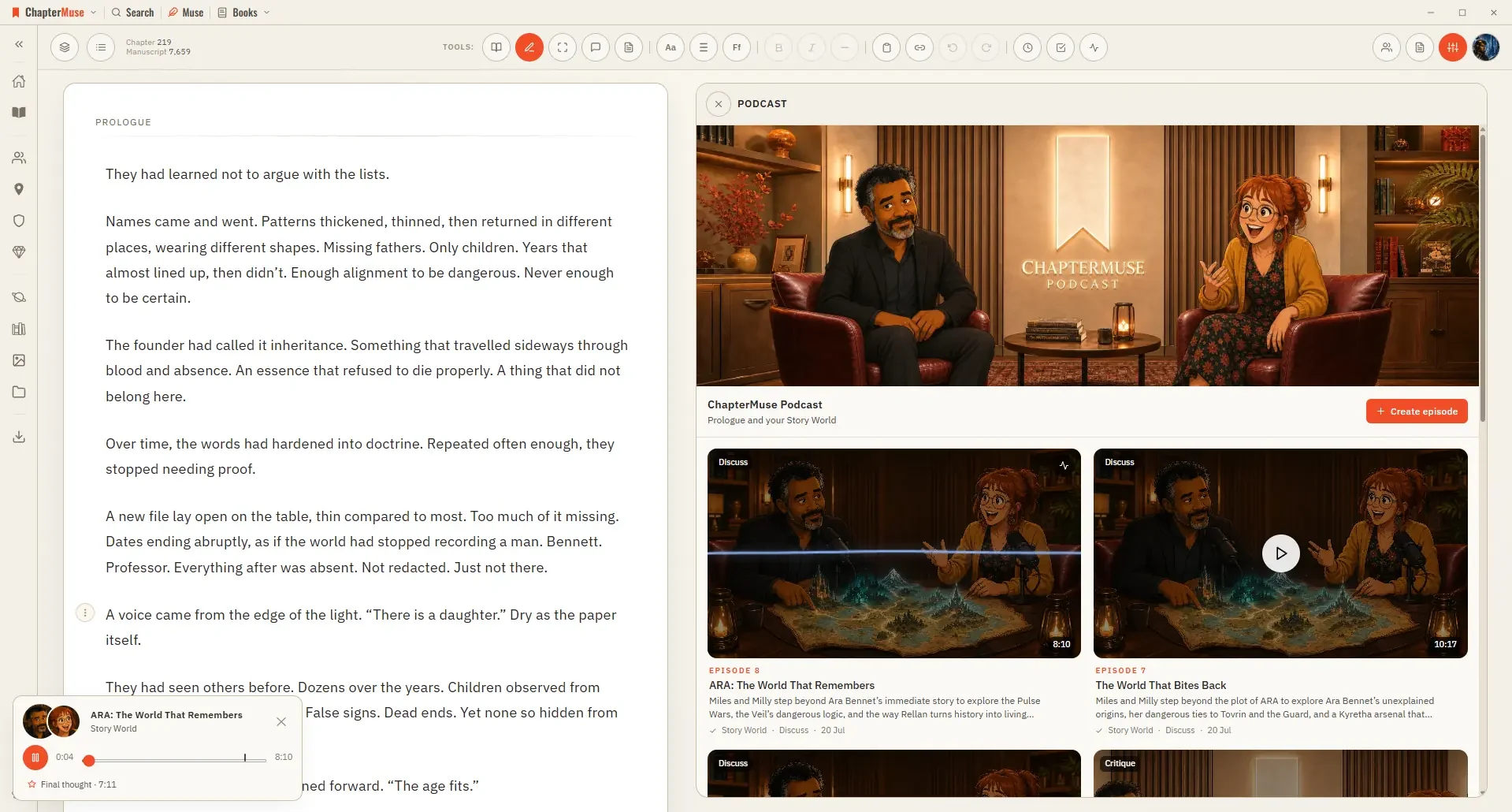
CMwww.chaptermuse.com › Help › Podcast
Earlier episode coverage helps an overview find fresh ground; an explicit topic or question takes priority The source material comes from this book’s in-scope world cards, lore, timeline and Plot Grid plans.
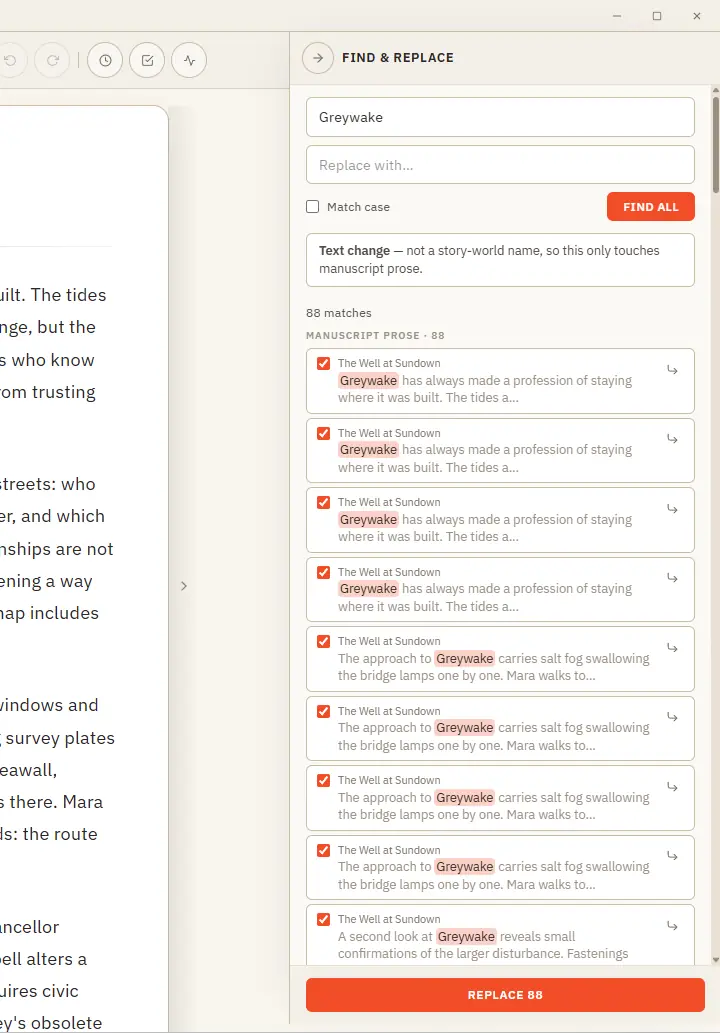
CMwww.chaptermuse.com › Help › Find replace
One clever panel that knows the difference between fixing a word and renaming someone in your story world. Updated 4 September 2026 Find & Replace does two jobs from one place, and it works out which you mean.
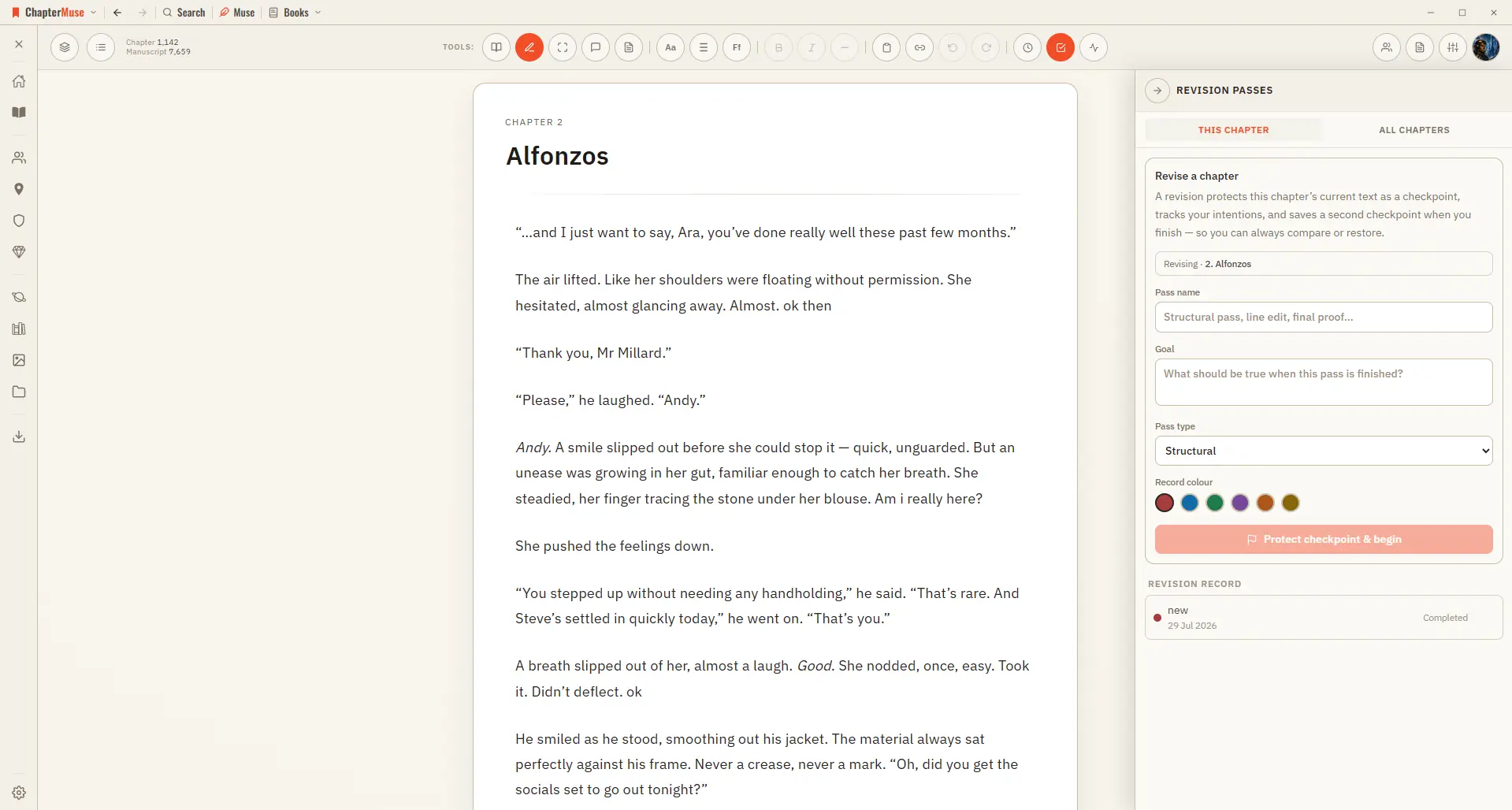
CMwww.chaptermuse.com › Help › Revisions
Choose a structural, plot, character, scene, dialogue, line, copyedit, proof, or custom pass Each pass belongs to the chapter open when it begins; different chapters can have their own open passes at the same time Use All…
CMwww.chaptermuse.com › Help › Muse
Unlike the Review tools, which each read one thing, Muse can see your whole story world — the manuscript, your characters and how they relate, your factions, items, locations, glossary, plot grid, marginalia, research, and even…
CMwww.chaptermuse.com › Daily › Tasks › Beginnings 15
Start a story with someone trying to complete a small job before a visitor arrives. Use your own story, or invent something just for this.