ChapterMuse

Search results for beats

About 63 results (0.019 seconds)

CMwww.chaptermuse.com › Help › Scene designer

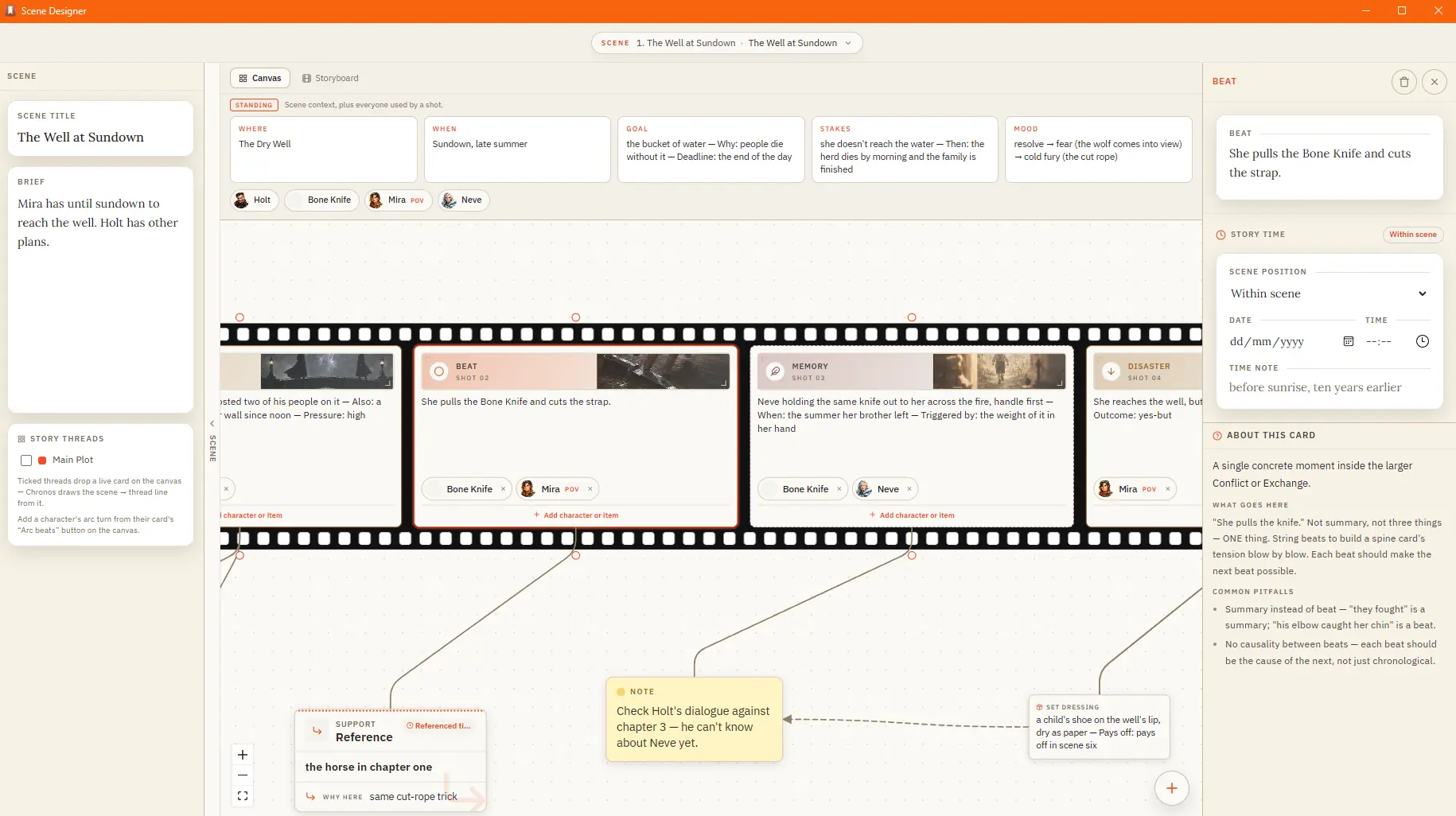
Plan a Scene Beat by Beat

A standing band above the strip holds the scene's conditions and its cast — the characters and items in play Attach sensory, subtext, or set-dressing cards to a shot; they ride in the gutter beside it The shelf keeps your craft…

CMwww.chaptermuse.com › Help › Character arcs

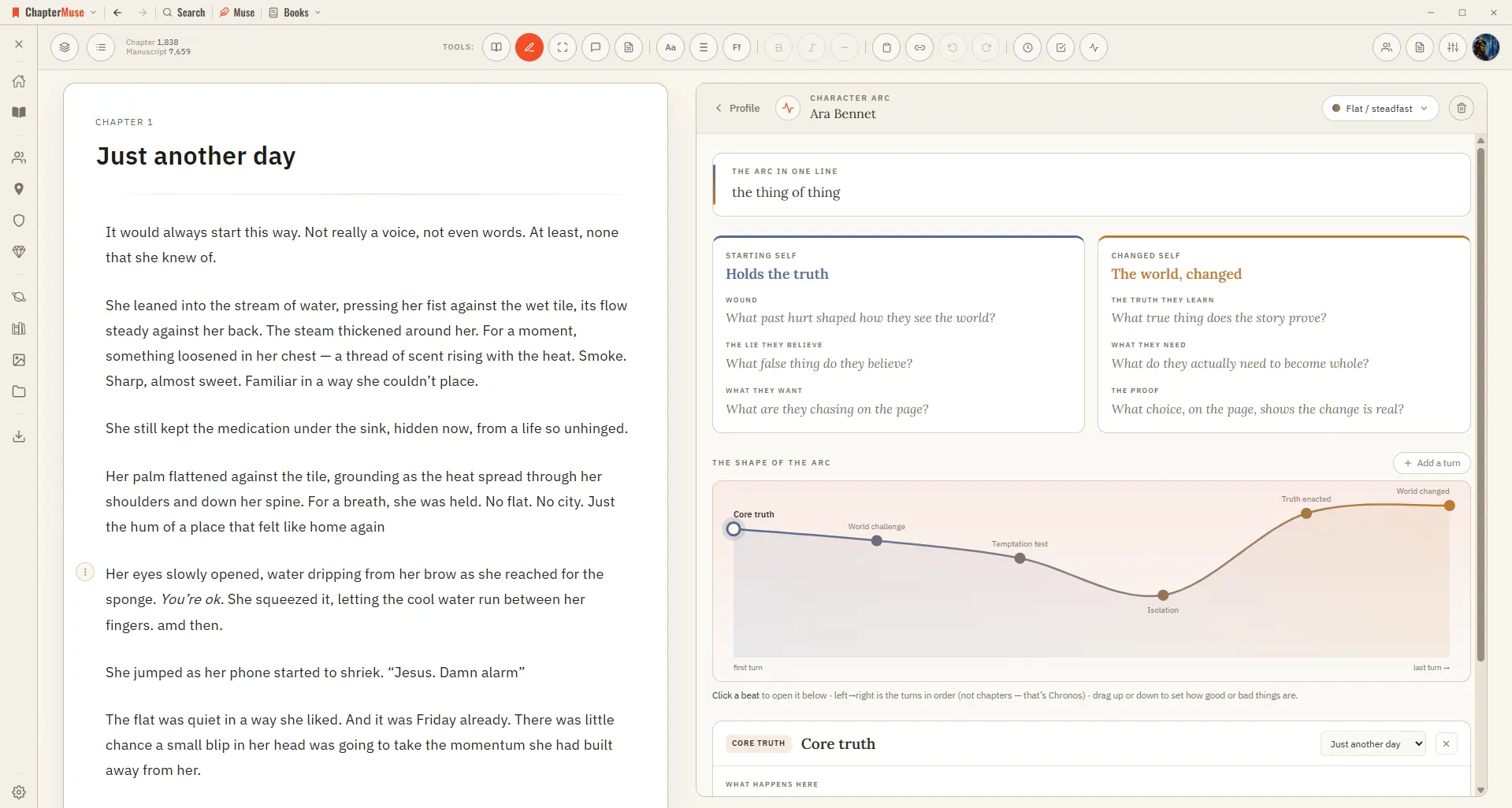
Map Character Arcs Across a Novel

ChapterMuse lays down a suggested sequence of beats you can keep, rename, or replace, then you fill each beat with what happens, what the character believes, what they choose, and what it costs.

CMwww.chaptermuse.com › Help › Outliner

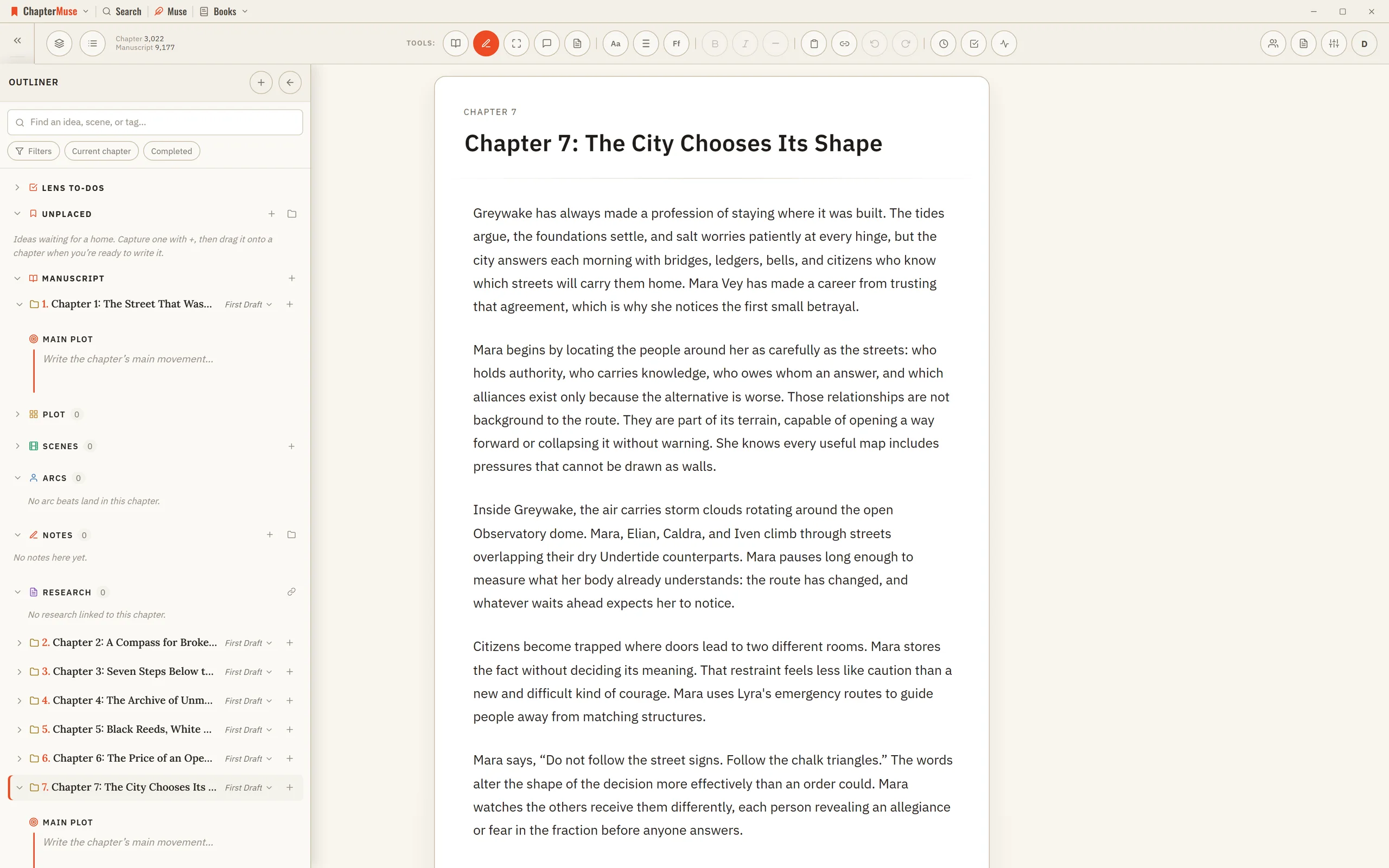
Outline a Novel Beside the Manuscript

Character beats, notes, snippets, research, and Mind Map cards remain live in their own tools. Intentions are the same records To-dos draws as cards, so a to-do written on either side appears on the other with nothing to sync.

CMwww.chaptermuse.com › Help › Chronos

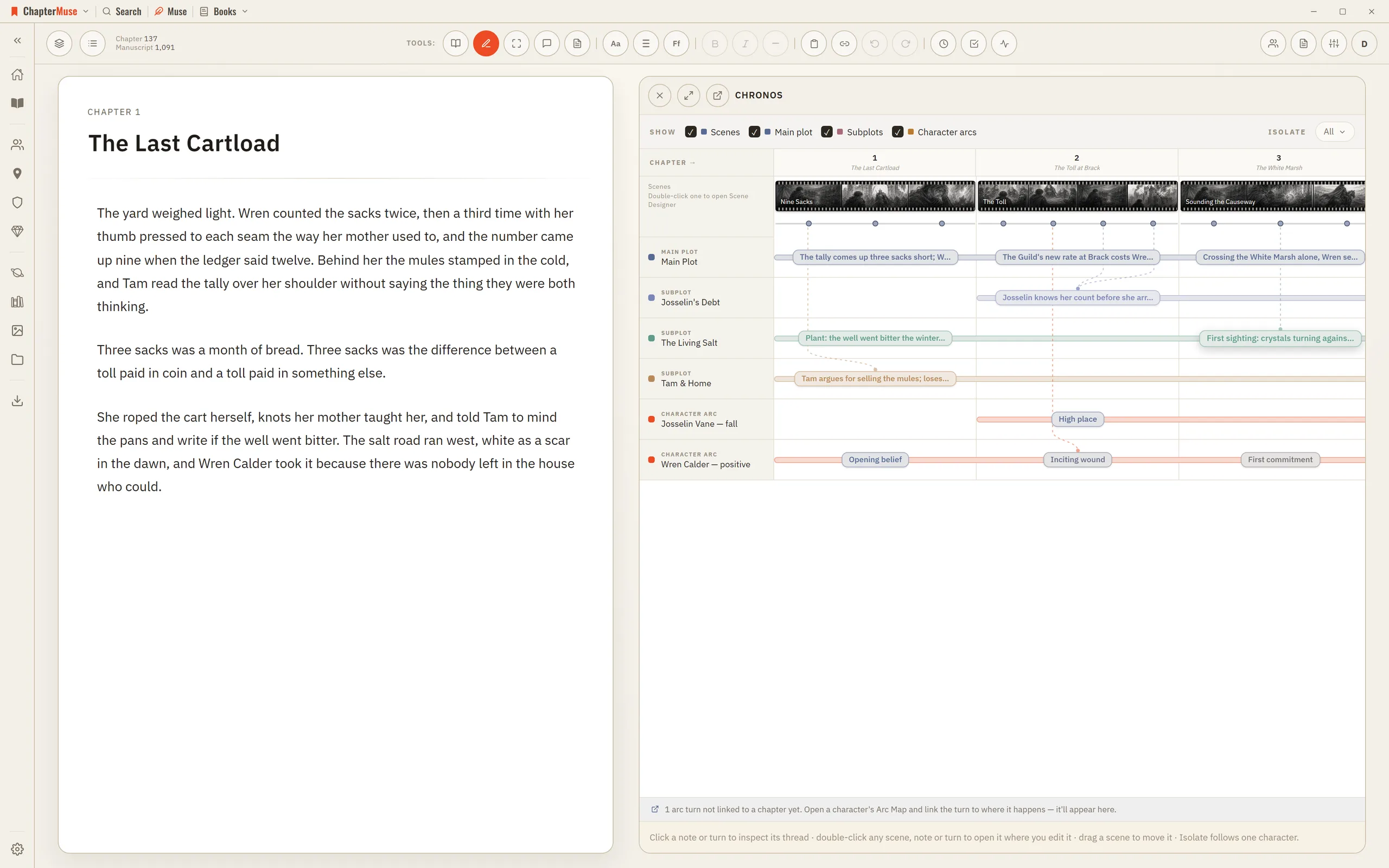
Build a Novel Timeline with Chronos

4Drag an arc beat onto a chapter — or onto a specific scene — to anchor where that turn happens. 5Use Isolate to show only what a single character touches.

CMwww.chaptermuse.com › Help › Plot grid

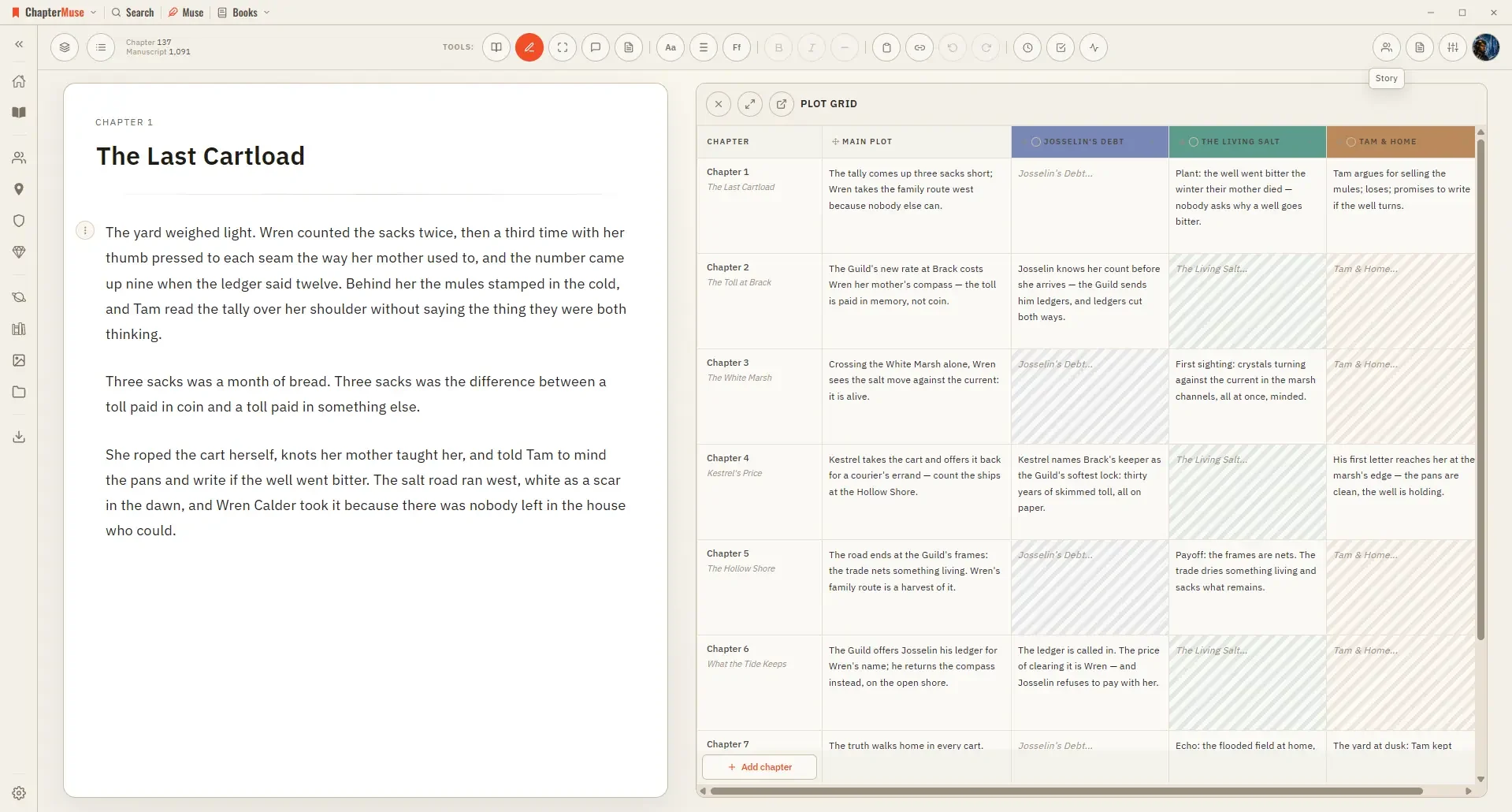
Track Plots and Character Arcs in a Plot Grid

Reading straight down the synopsis column gives you a chapter outline; reading across a thread column shows you an entire subplot's shape.

CMwww.chaptermuse.com › Help › Pulse

Analyse Chapter Pacing with Chapter Pulse

Five signals scored per paragraph: tension, dialogue, action, interior, and exposition Layer any combination onto the curve to compare them Turn every curve off to see each paragraph as a bar coloured by its dominant signal Click…

CMwww.chaptermuse.com › Help › Todos

To-dos: ChapterMuse Guide

A column of sticky notes beside the manuscript — the same list the Outliner keeps, drawn as cards. Updated 4 September 2026 Open To-dos from the main toolbar and a column of coloured square cards appears down the left of the page.

CMwww.chaptermuse.com › Help › Read aloud

Listen to Your Manuscript with Read Aloud

A slim floating bar with play and pause, and skip to the previous or next paragraph The paragraph being read highlights and gently scrolls into view Continuous manuscript becomes a whole-book listening pass: playback crosses…

CMwww.chaptermuse.com › Help › Characters

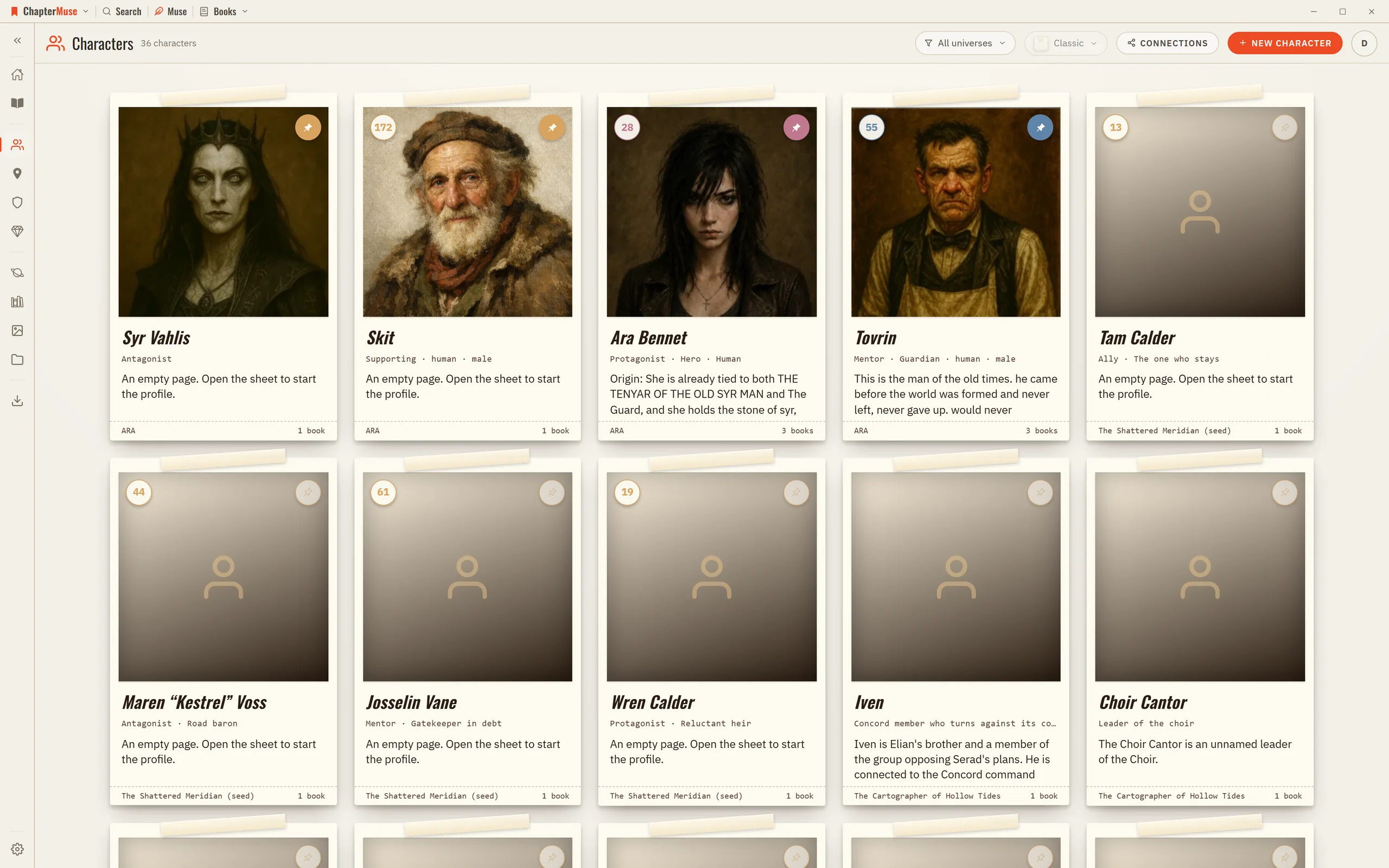
Create Character Profiles for Your Novel

The library is a grid of character cards; click one to open its sheet on the right and fill it in. Everything saves as you go, and an untouched character quietly removes itself if you close it without adding anything.