Novel planning software
See the whole book without leaving the chapter.
The Outliner holds chapter intentions, summaries and structure beside the place where they become prose. Move a chapter in the outline and the working manuscript follows.
The Plot Grid lays chapters against the main plot, subplots and the threads you add. An abandoned thread is visible before a reader has to find it.
The chapter outliner
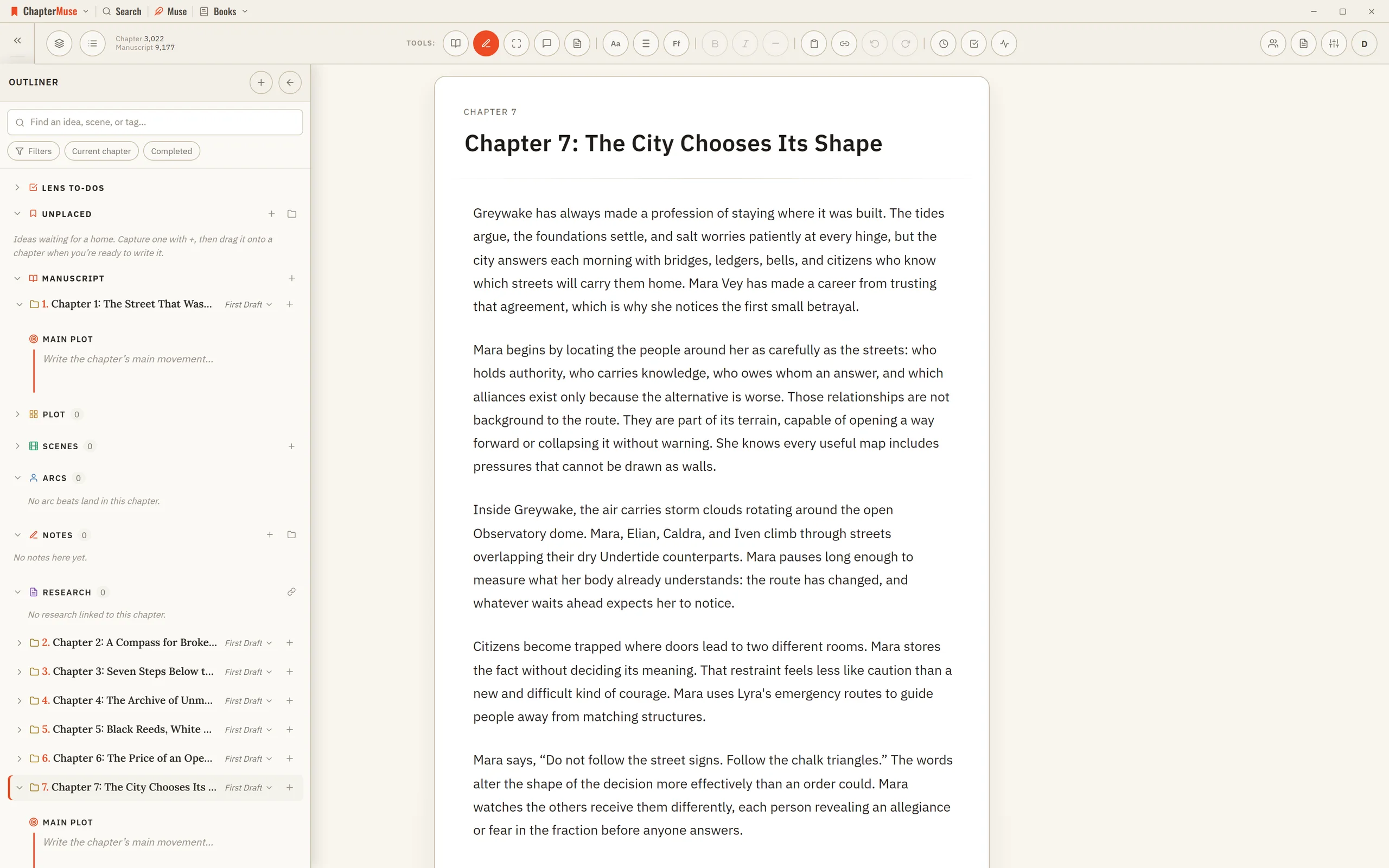
The plan and the page are the same book.
02 · Time and ideas
Use the shape that answers the question.
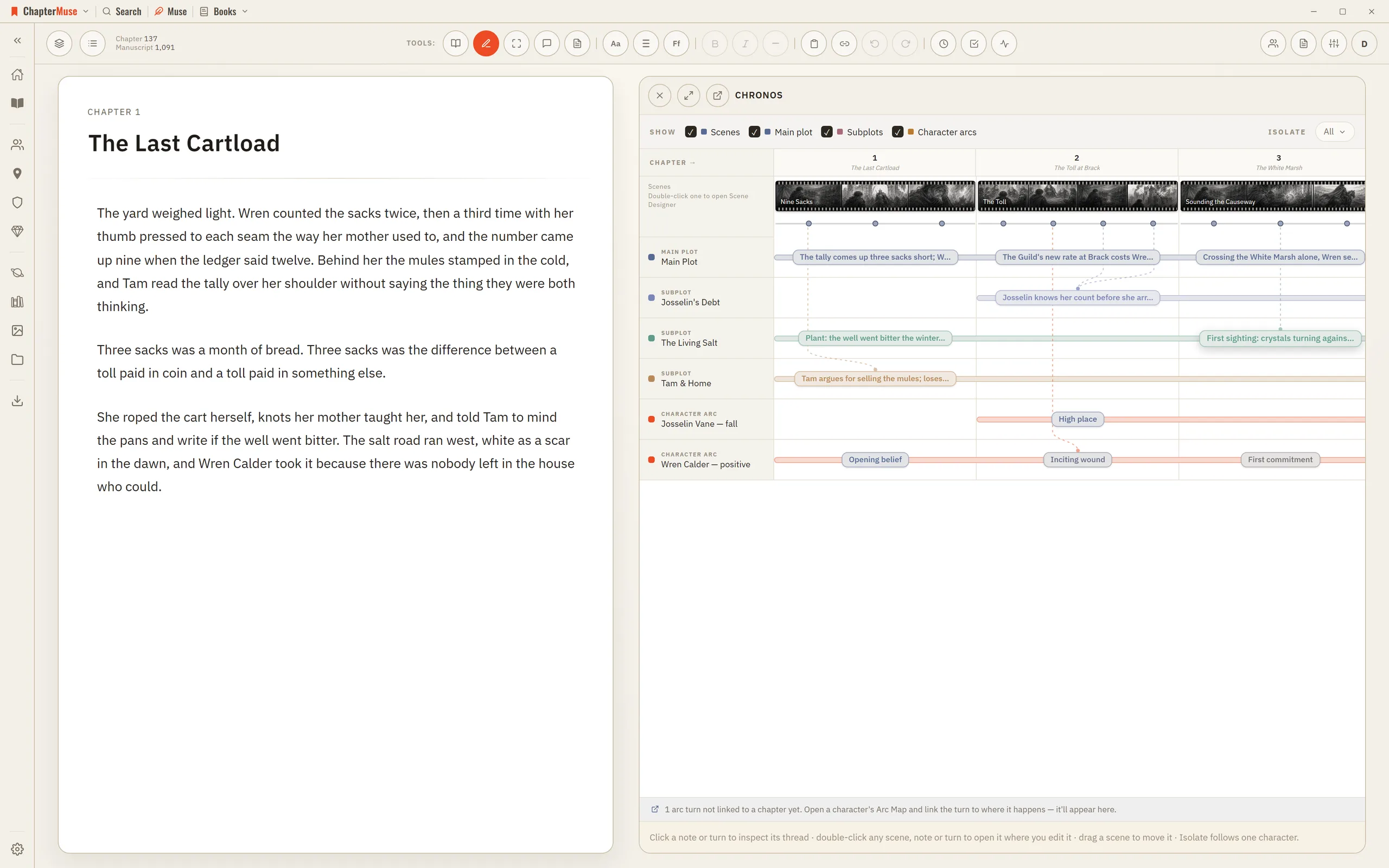
Chronos lays the book along one axis: chapters across the top, as wide as their scenes, with plot threads and character arcs running underneath. A subplot that goes quiet for six chapters shows up at a glance. Mind Map gives early ideas room to connect before they have earned a place in the outline.
No planning view is compulsory. Use one, combine them, or return only when the draft asks a structural question.
Chronos story timeline
03 · Scenes
Turn intention into a sequence of beats.
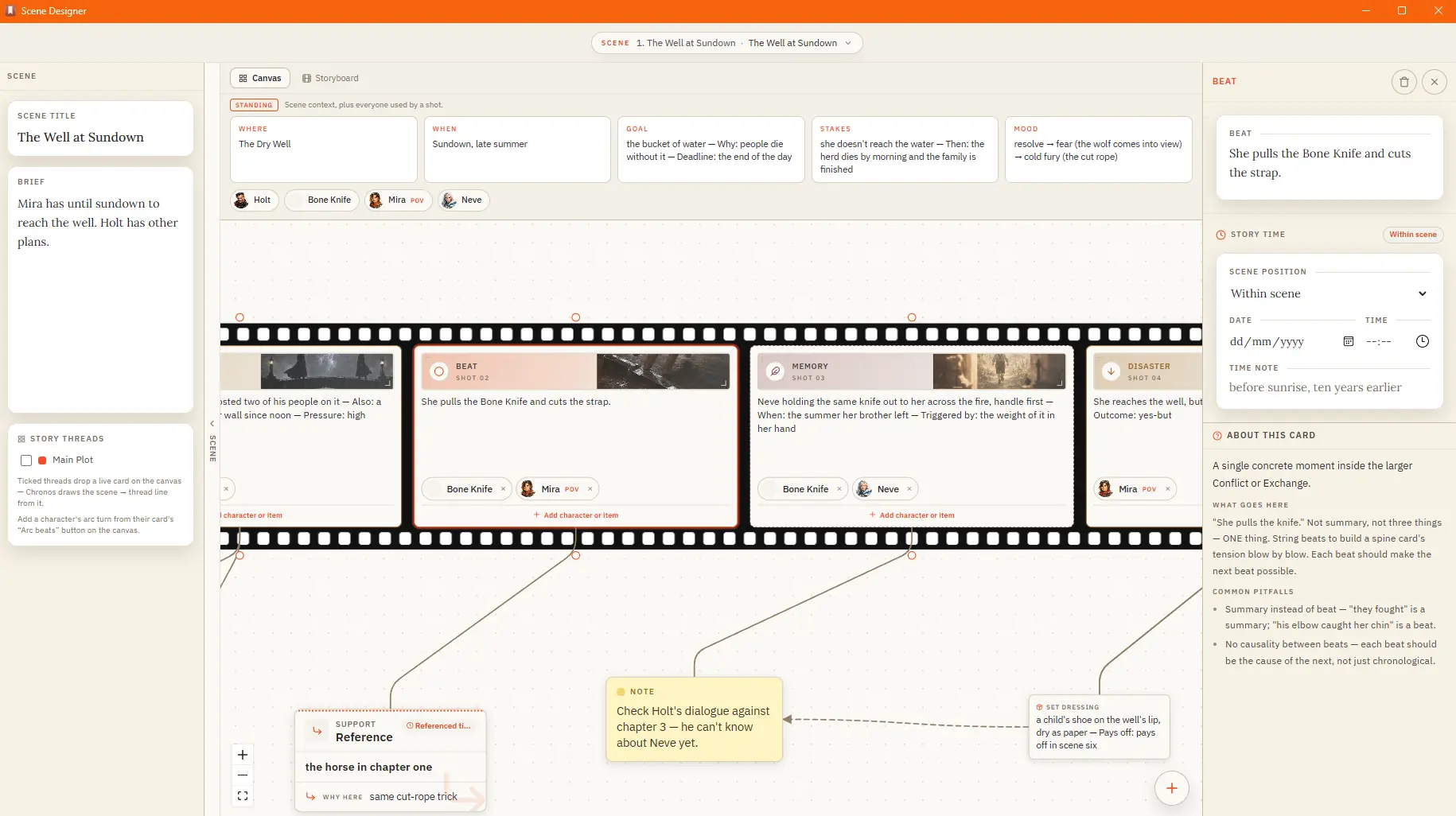
Scene Designer lays a scene as a strip of shots. Pick a framework — Action, Sequel, Dialogue or Reveal — then fill the beats that cause the next beat. Storyboard draws those shots as panels, in the order the scene plays.
Outliner
Arrange chapters and variants while keeping intentions and summaries beside the draft.
Plot Grid
Read plots and subplots across the same chapter-by-chapter view. An empty cell is a thread you dropped.
Chronos
Chapters across the top, as wide as their scenes, with plot threads and character arcs running underneath.
Mind Map
Explore uncertain ideas visually before committing them to the book's structure.
Chapter Notes + To-do side panel
Pin visual notes around the page and keep actionable to-dos in a chapter-aware side panel.
Scene Designer
A strip of shots on a spine of Action, Sequel, Dialogue or Reveal.
Storyboard
Turn planned beats into a visual sequence you can inspect before drafting.
Scene Designer
Questions answered
01Can I try this before buying?
Yes. The 30-day trial unlocks the complete application without asking for a payment card.
02Does ChapterMuse work on Windows and macOS?
Yes. ChapterMuse is a desktop application for Windows and macOS, with the manuscript and story-world data stored on your computer.
03Do I have to outline before writing?
No. Planning tools remain optional and can be introduced after drafting has begun.
04Can planning stay visible while I write?
Yes. The Outliner stays open beside the current chapter. Workspace views can also open a planning tool next to the page.
05Which planning tools are in every licence?
Outliner, Plot Grid, Mind Map, Chapter Notes and To-dos are in every licence. Chronos, Scene Designer and Storyboard come with Studio. The trial unlocks the complete application.