CMwww.chaptermuse.com › Feature › Muse
AI Writing Assistant That Never Ghostwrites
ChapterMuse is a desktop application for Windows and macOS, with the manuscript and story-world data stored on your computer.
About 112 results (0.121 seconds)
CMwww.chaptermuse.com › Feature › Muse
ChapterMuse is a desktop application for Windows and macOS, with the manuscript and story-world data stored on your computer.
CMwww.chaptermuse.com › Guide › Novel writing software
This is the question the category is organised to stop you asking, because most writing software is built around one job and priced as though it were the whole job.
CMwww.chaptermuse.com › Help › Manuscript lens
4Click any finding to jump to it — echoes, world mentions, and repeated phrases highlight the exact instance; prose findings open the chapter.
CMwww.chaptermuse.com › Legal › Cookies
If you accept analytics, Microsoft Clarity records website interactions, including pages, clicks and scrolling, for session replays and heatmaps.
CMwww.chaptermuse.com › Guide › How to write a fantasy novel
Or you have the opposite draft: forty thousand words in, and the book keeps stopping to explain itself. A character walks into a tavern and the tavern comes with a history of the guild that licenses taverns.
CMwww.chaptermuse.com › Guide › Exposition without the infodump
"We talk about worldbuilding as something the writer does," she writes, "but it's also something the reader does, building the world from the clues."
CMwww.chaptermuse.com › Help › Research
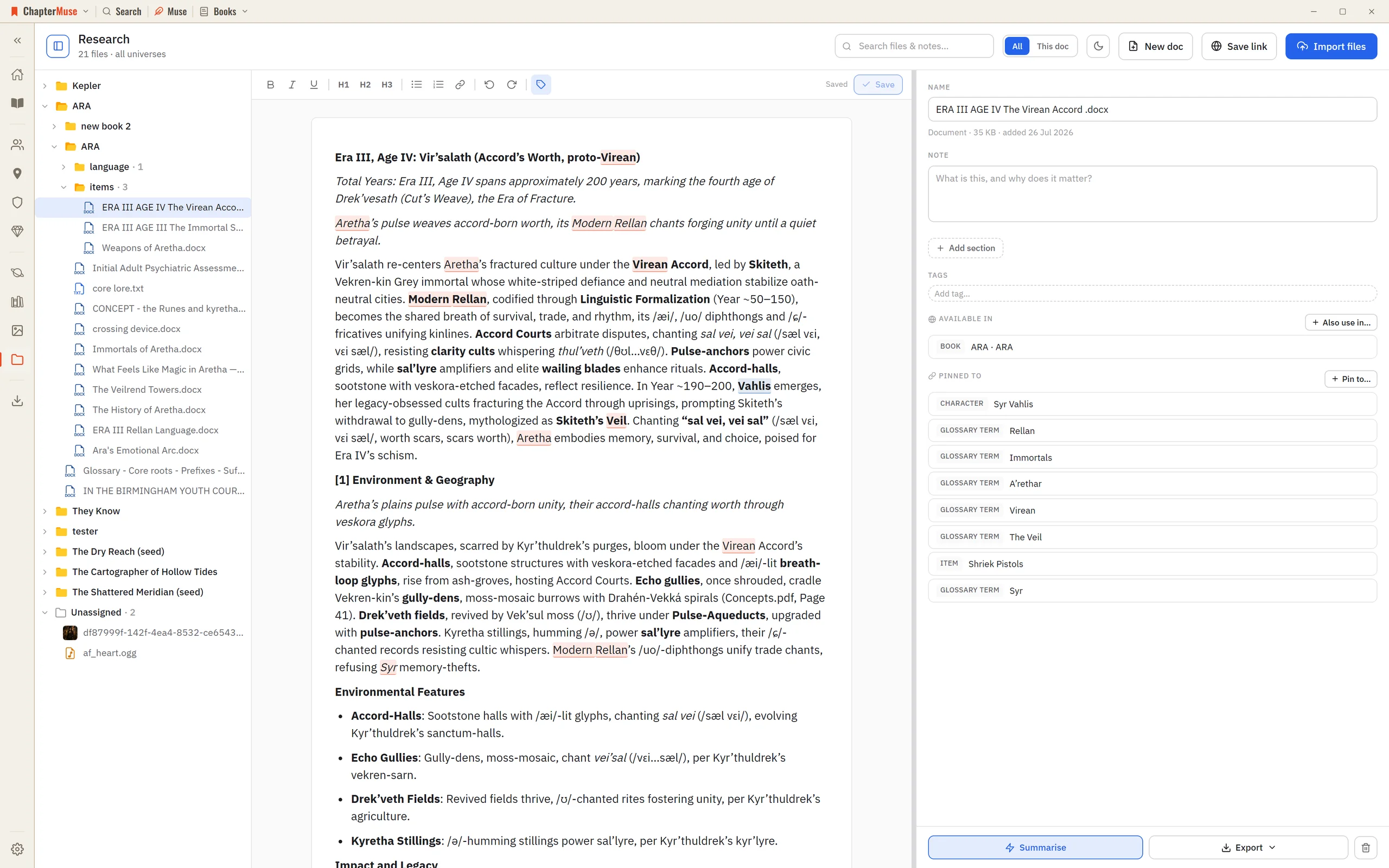
The Research Center is a calm home for all of it: import files, preview them in place, and pin each one to the parts of your story world it relates to.
CMwww.chaptermuse.com › Help › Pulse
✦In a book-scoped chat, Muse can read the latest saved Pulse and compare its curve with a saved Chapter Analysis. It uses the report already on your device and does not generate a new Pulse; only the ordinary Muse chat reply is…
CMwww.chaptermuse.com › Help › Beta readers
In the whole writing studio Move from protected checkpoints through proofing, craft analysis and whole-book signals. See the revision workflow
CMwww.chaptermuse.com › Help › Navigation
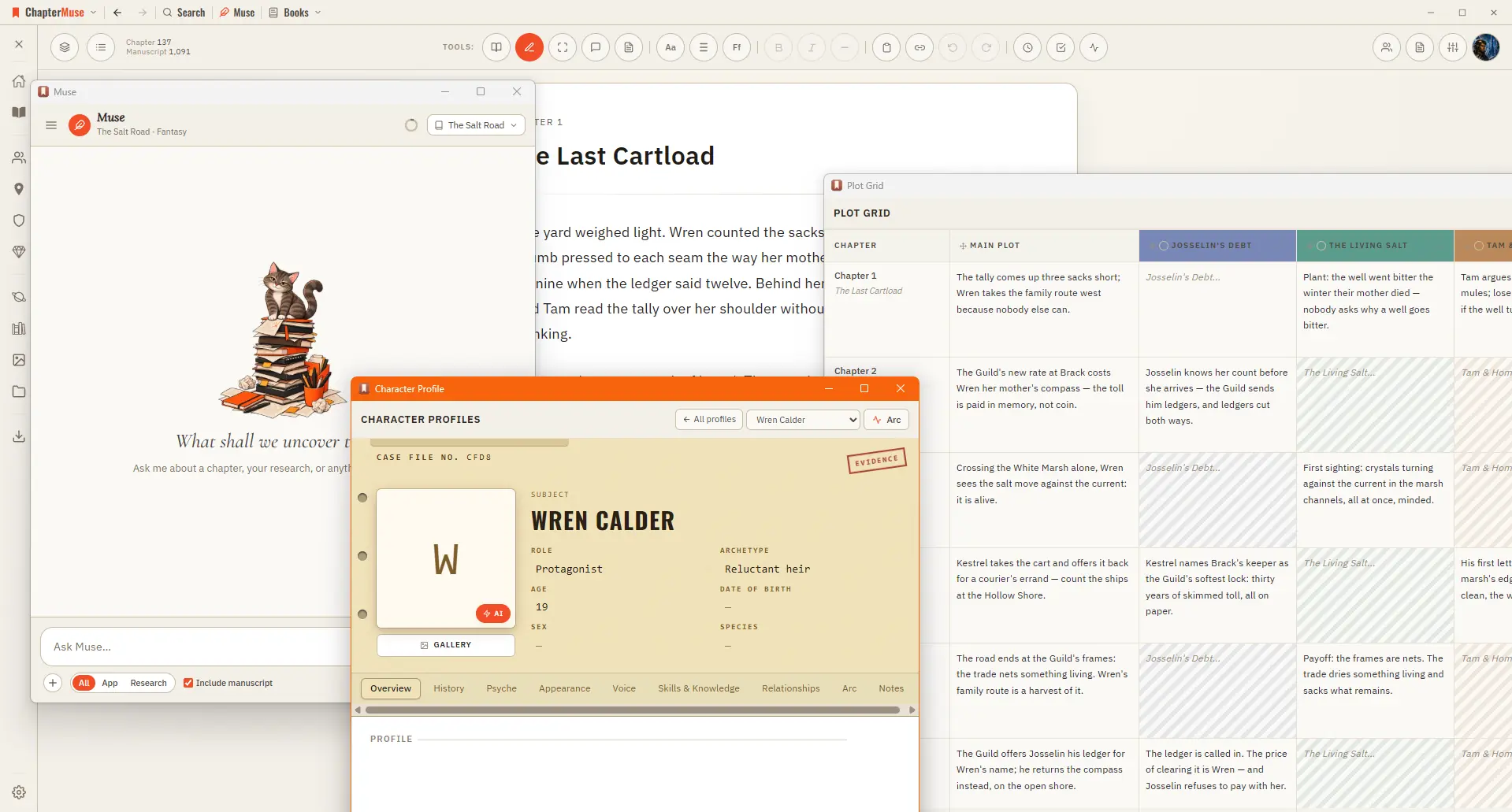
A central Tools strip holds Read / Edit / Focus mode, To-dos, Chapter Notes, the Outliner button, the workspace-view picker, your type controls (font, size, spacing), bold / italic / em dash, copy & paste, a "highlight…