ChapterMuse

Search results for licence

About 69 results (0.025 seconds)

CMwww.chaptermuse.com › Help › Muse

Use Muse, ChapterMuse's AI Fiction Companion

Point Muse at your manuscript and research and let it mine them: pick a focus — characters, locations, factions, items, connections, terms & lore — or scan for everything at once.

CMwww.chaptermuse.com › Help › Read aloud

Listen to Your Manuscript with Read Aloud

Updated 4 September 2026 Reading your work aloud is one of the oldest editing tricks — your ear catches what your eye skims past.

CMwww.chaptermuse.com › Help › Ai images

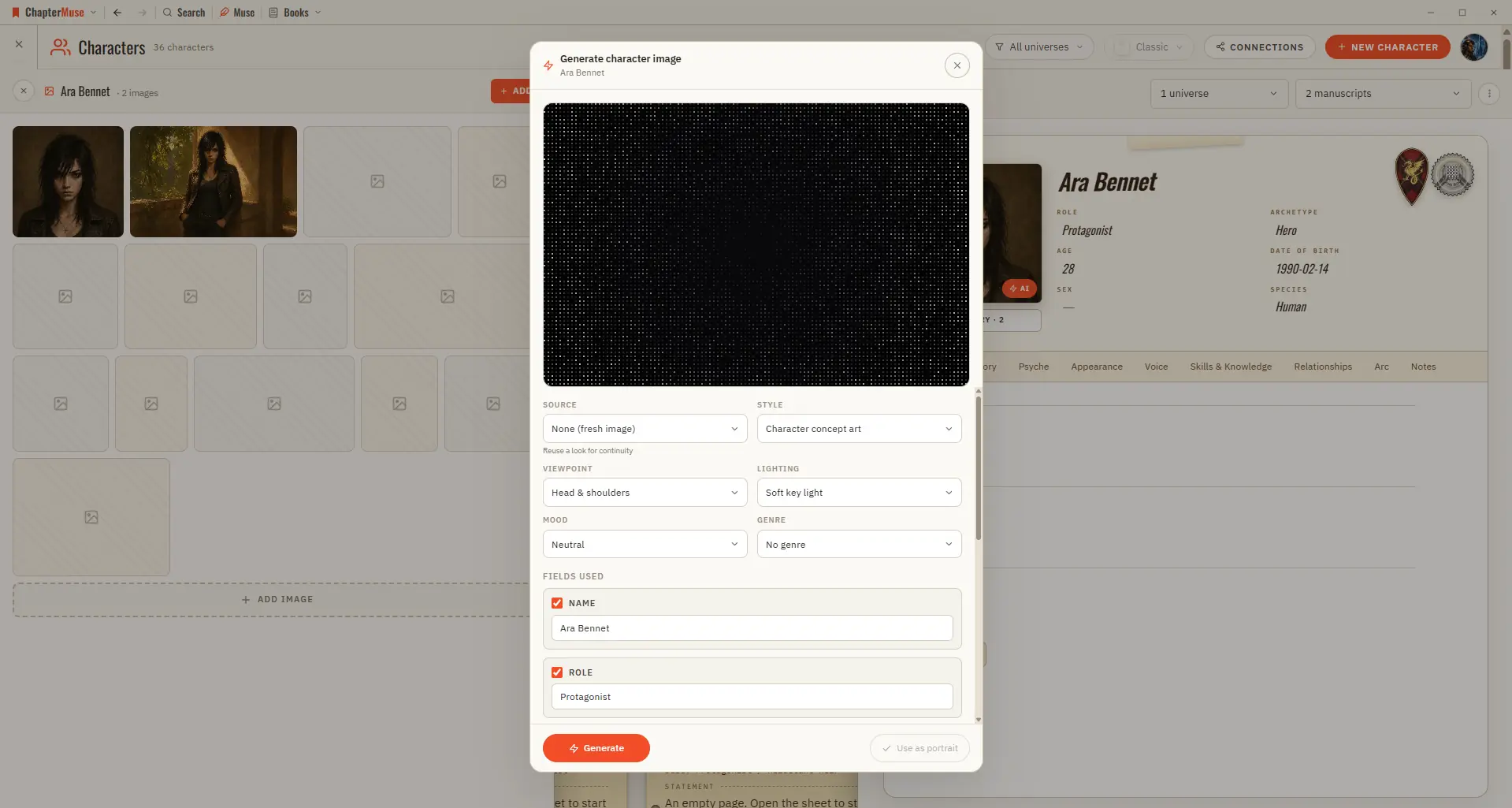
Generate Character and Story-World Images

Because it uses AI, each generation draws from your AI Tokens, and shows the cost before it runs. ✦Quick start 1On a character, location, or item sheet, click the Generate (✨) button on the image area.

CMwww.chaptermuse.com › Help › Analysis

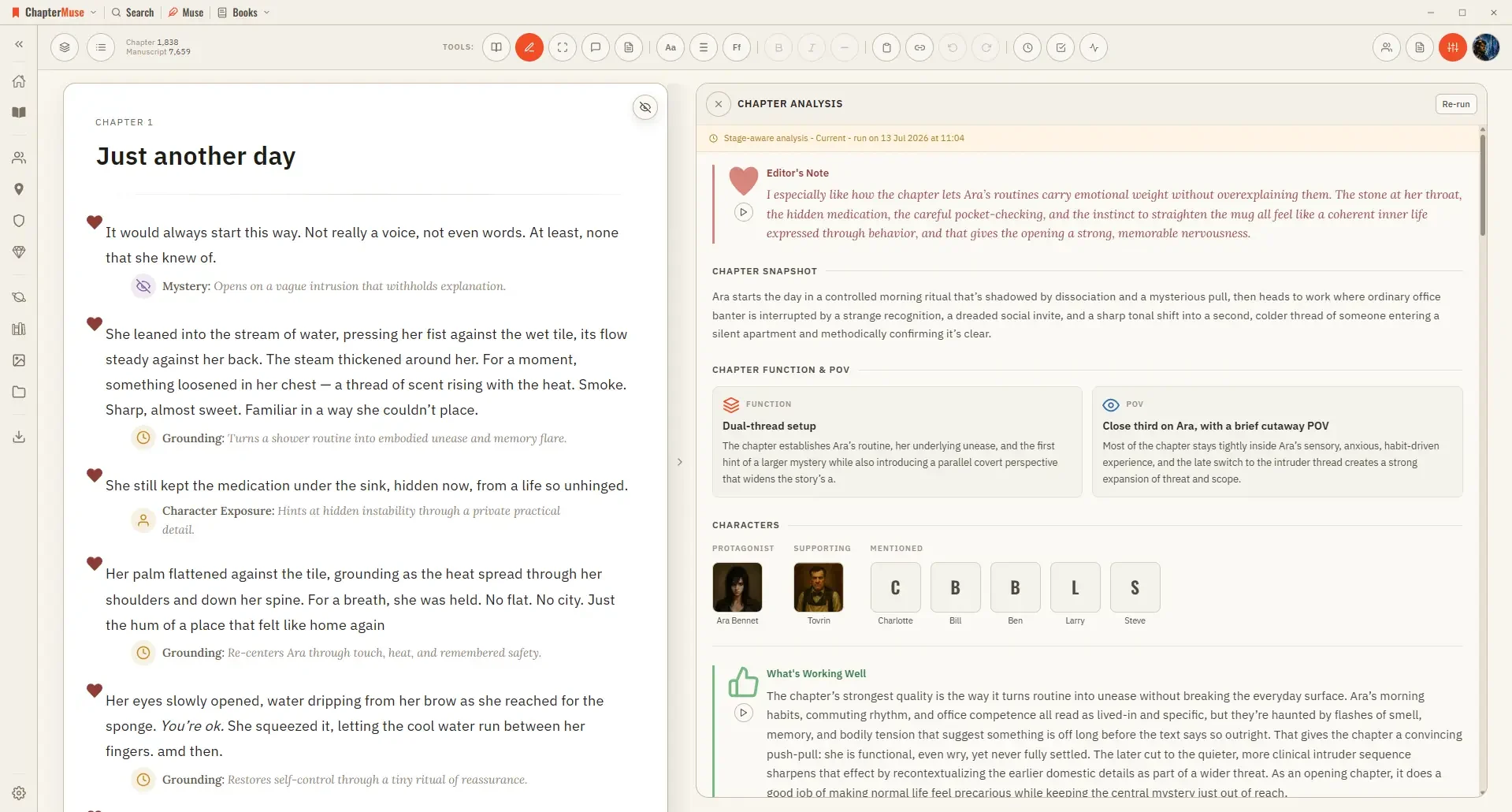
Get AI Craft Feedback on a Novel Chapter

Because it uses AI, it confirms a token cost before it runs. ✦Quick start 1Open a chapter in Single chapter view, then choose Chapter Analysis from the Review menu.

CMwww.chaptermuse.com › Help › Writing tools

ChapterMuse Editing and Analysis Tools

On-device tools (Chapter Check, Prose Metrics, Word Cloud, Read aloud) are free and private AI tools — Chapter Analysis, Chapter Pulse, Podcast, and the AI layer of Manuscript Lens — confirm a token cost before running Click any…

CMwww.chaptermuse.com › Help › Pulse

Analyse Chapter Pacing with Chapter Pulse

3Toggle layers on and off — add Dialogue, Action, Interior, or Exposition. 4Click a point on the curve to jump to that paragraph.

CMwww.chaptermuse.com › Help › Book design

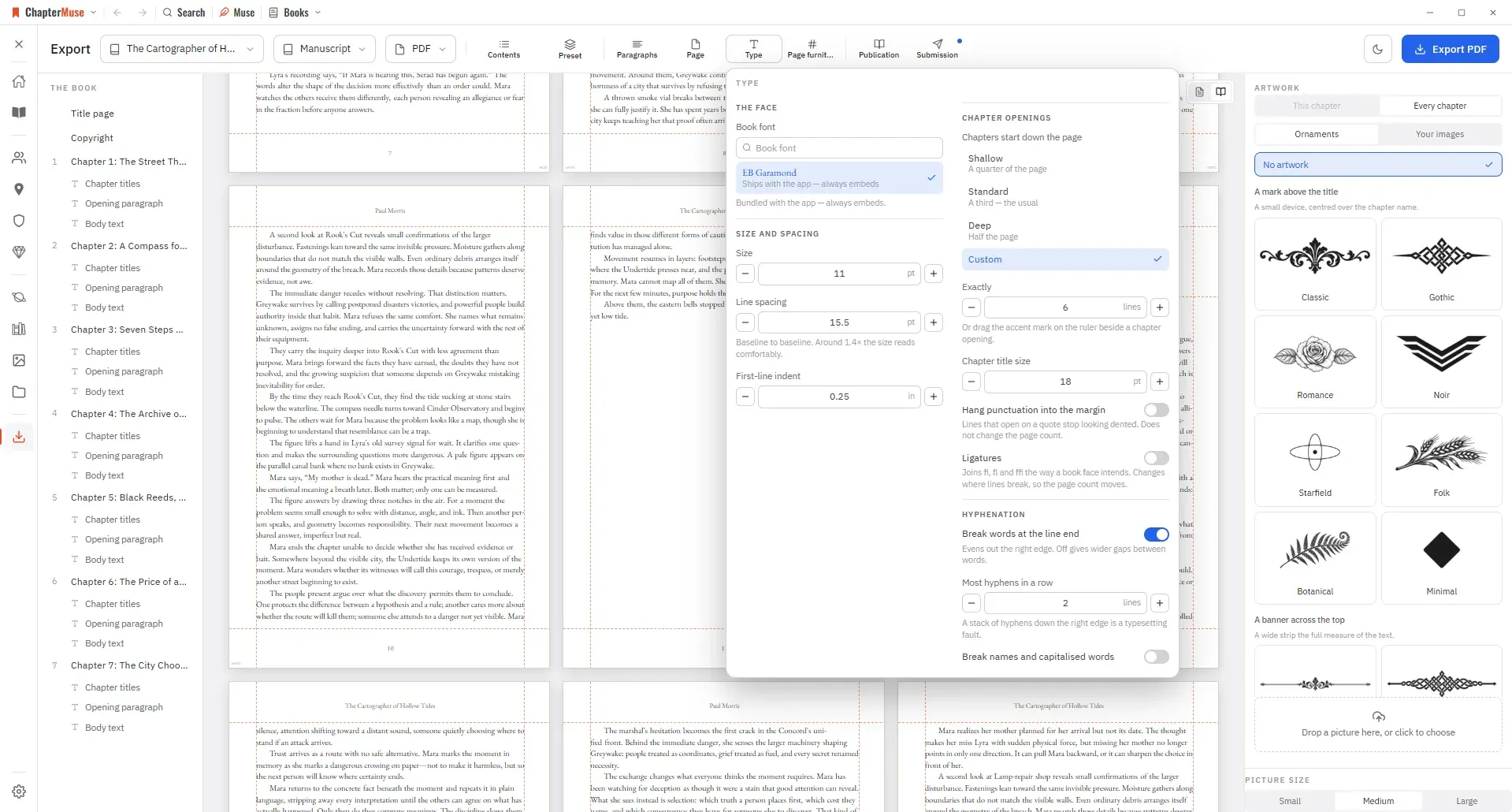
Book Design: ChapterMuse Guide

Updated 4 September 2026 A preset is a finished book, not a starting point: pick one and you have a designed manuscript straight away.

CMwww.chaptermuse.com › Page

About

Visit the communityCreate a free community account ChapterMuse