CMwww.chaptermuse.com › Help › Daily
Daily Writing Exercises: ChapterMuse Guide
You can also open the plain-text version below the daily task to read the prompt without the reveal animation. Write in a notebook, ChapterMuse or any editor you enjoy.
About 60 results (0.018 seconds)
CMwww.chaptermuse.com › Help › Daily
You can also open the plain-text version below the daily task to read the prompt without the reveal animation. Write in a notebook, ChapterMuse or any editor you enjoy.
CMwww.chaptermuse.com › Help › Analysis
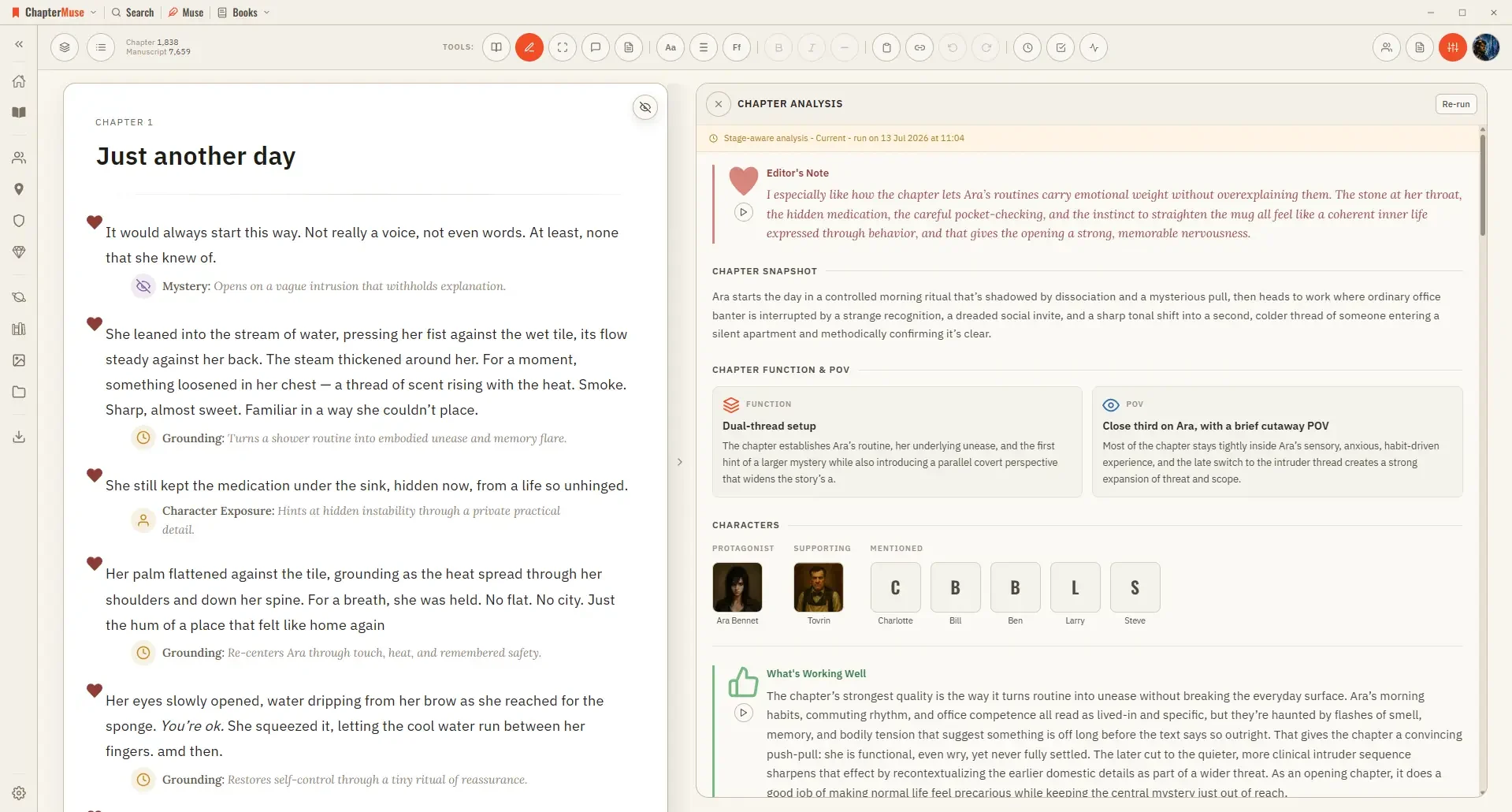
It runs in two passes: a quick chapter-level overview first, then, if you want it, a deeper paragraph-by-paragraph read.
CMwww.chaptermuse.com › Help › Chronos
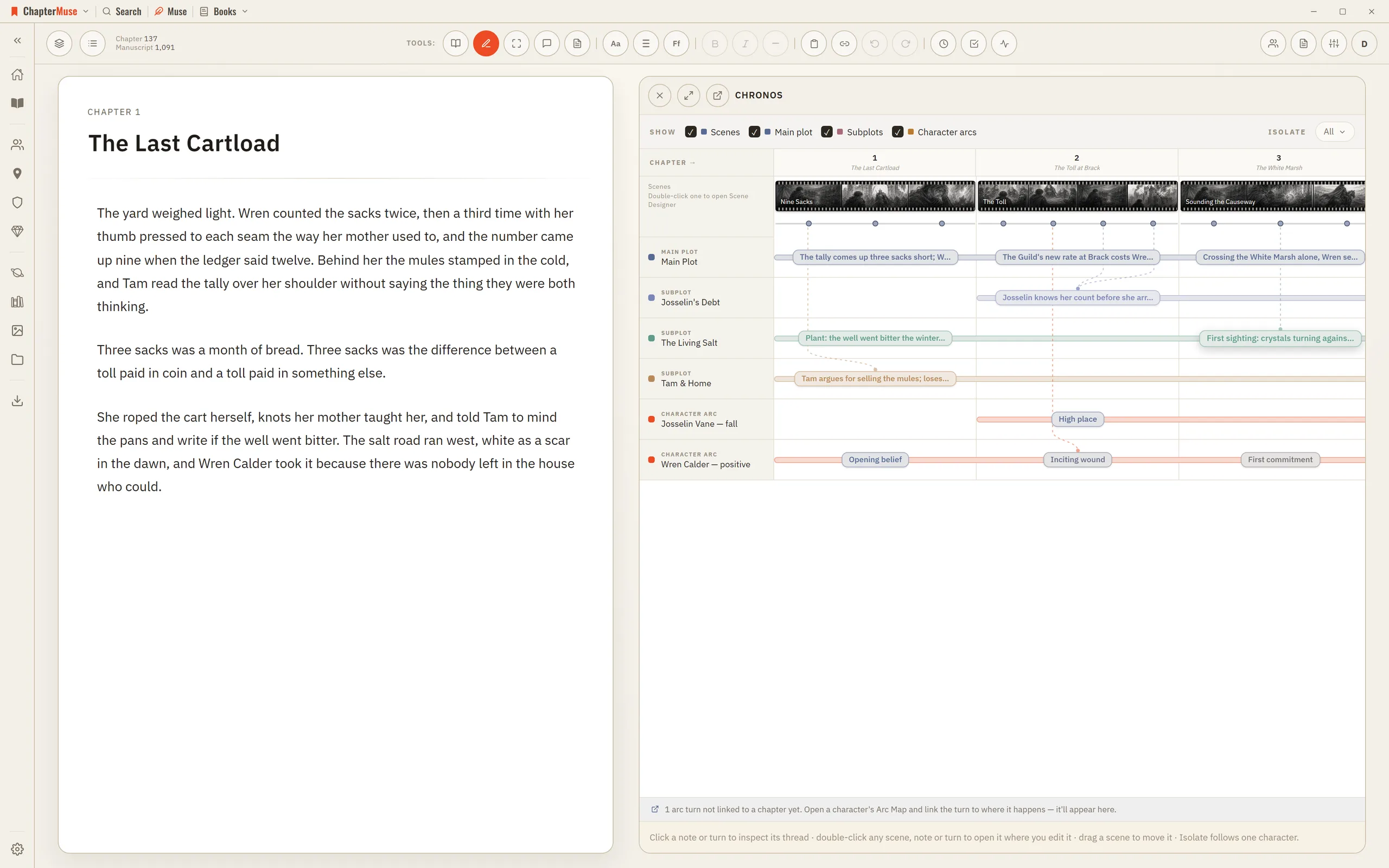
2Read across the top: each chapter column is as wide as its scene count, and each scene is a filmstrip as wide as its shots.
CMwww.chaptermuse.com › Help › Canvas
Once the saving indicator disappears you can safely switch chapters, close the window, or step away. In the whole writing studio No tool here works alone.
CMwww.chaptermuse.com › Help › Chapter notes
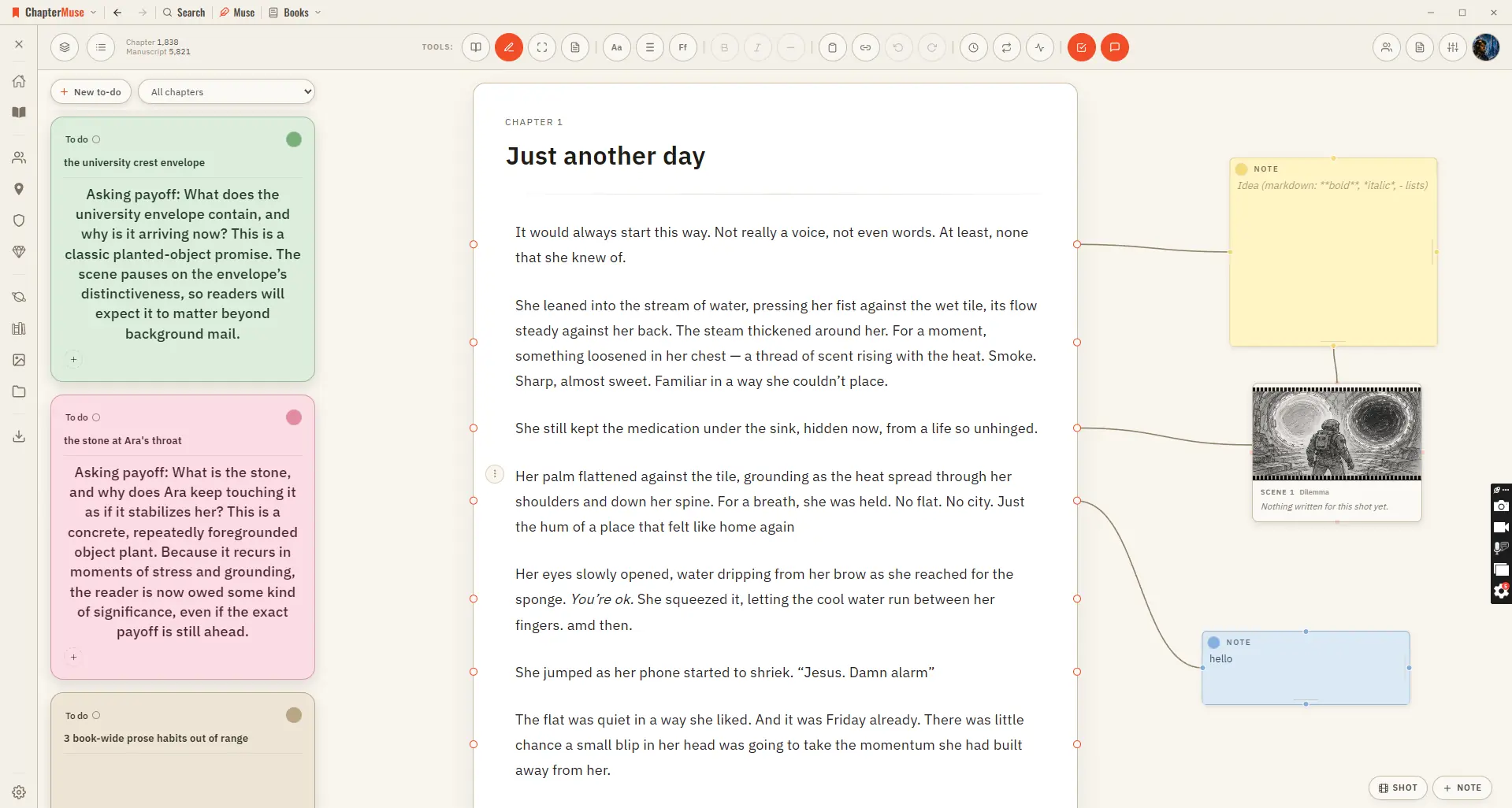
Updated 4 September 2026 Chapter Notes brings the Mind Map's cards right onto your chapter. Drop a sticky note in the margin and connect it to a specific paragraph — a reminder to fix a name, a query for your future self, a note…
CMwww.chaptermuse.com › Feature › Worldbuilding
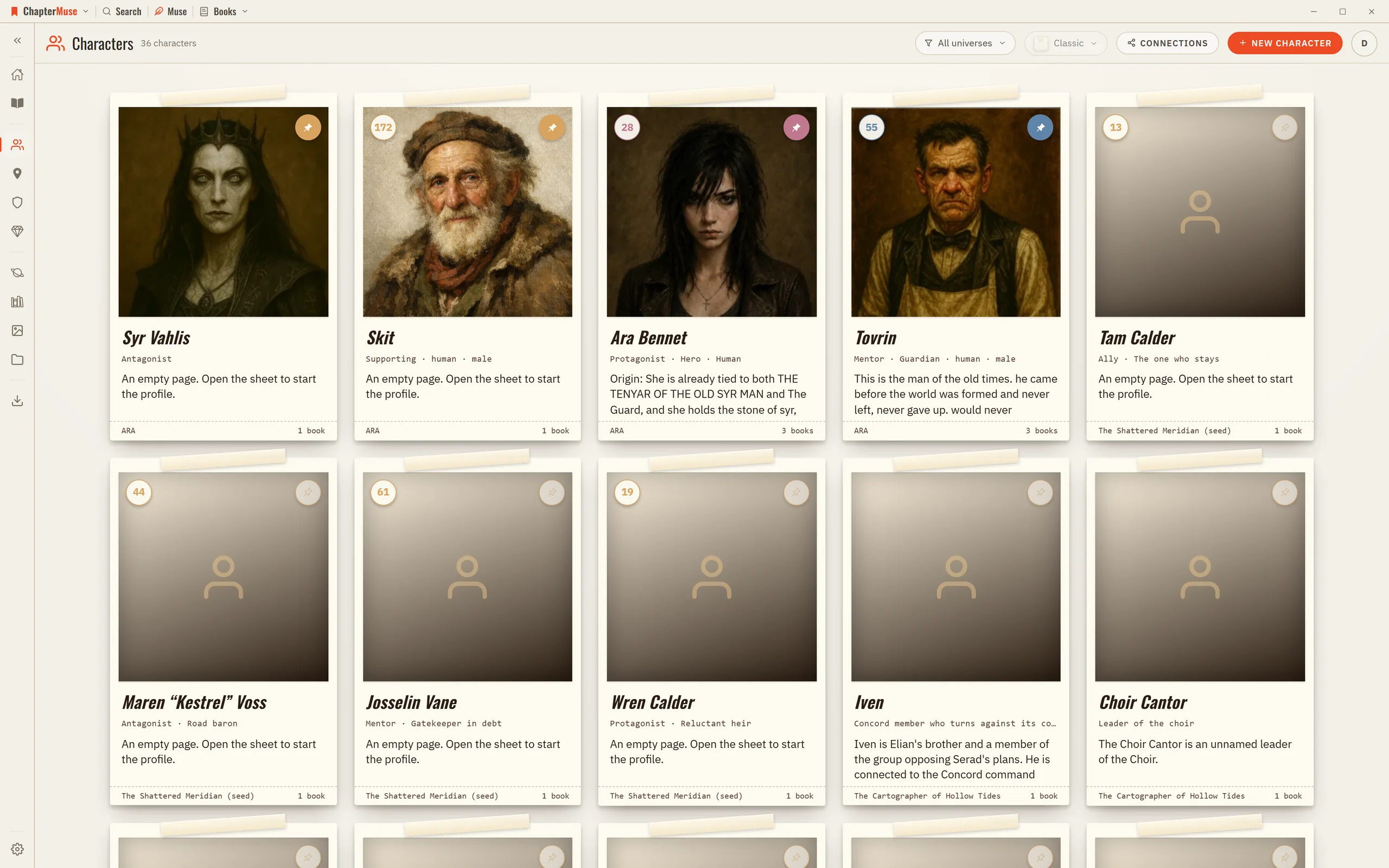
Character arcs anchor the transformation to concrete chapters and scenes. Connections make the social structure visible: who loves, mentors, rivals, owes or betrays whom.
CMwww.chaptermuse.com › Help › Word cloud
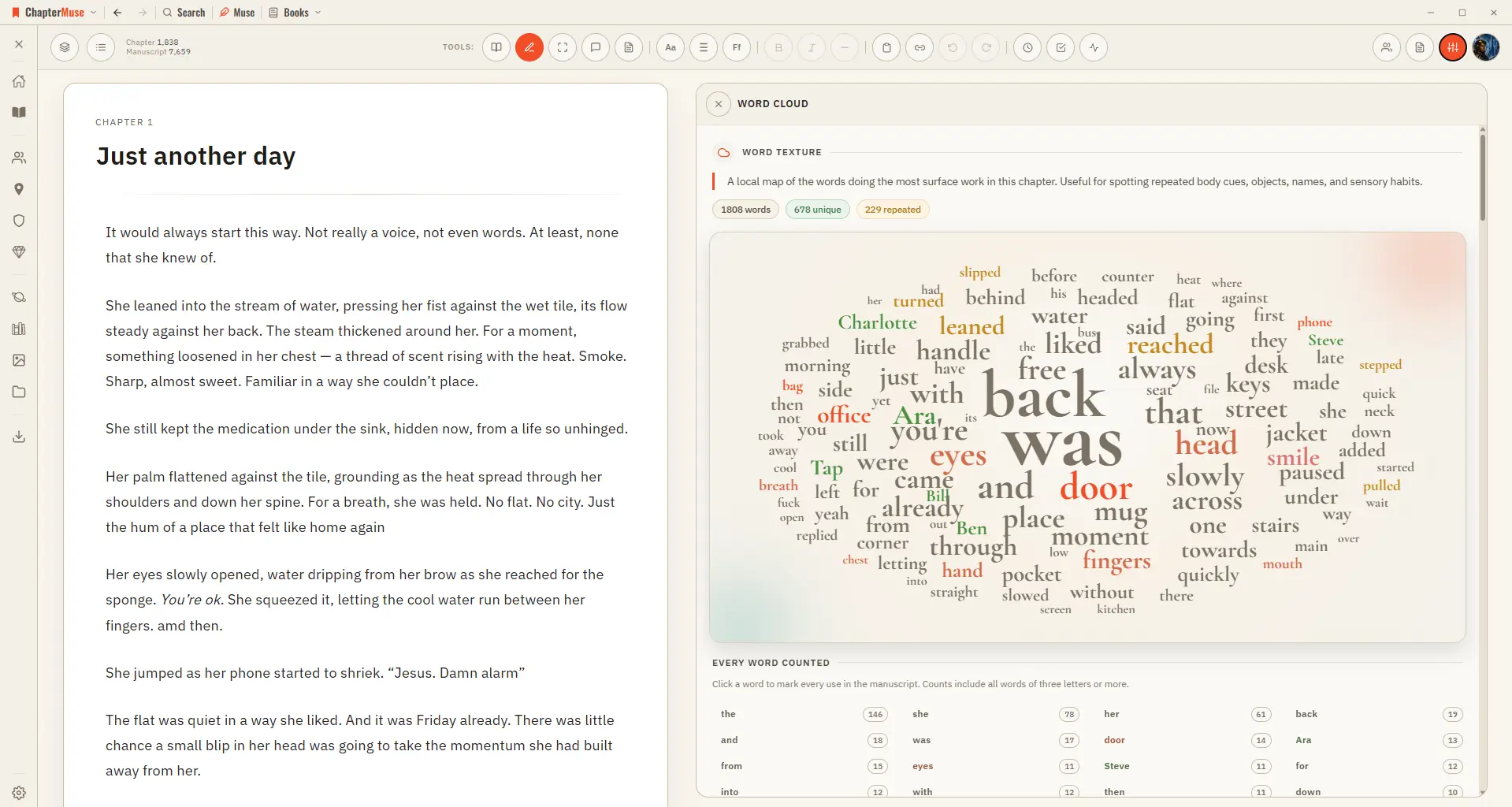
✦Quick start 1Open a chapter in Single chapter view, then choose Word Cloud from the Review menu. 2Scan for any word that's larger — or more frequent — than you expected.
CMwww.chaptermuse.com › Help › Chapter check
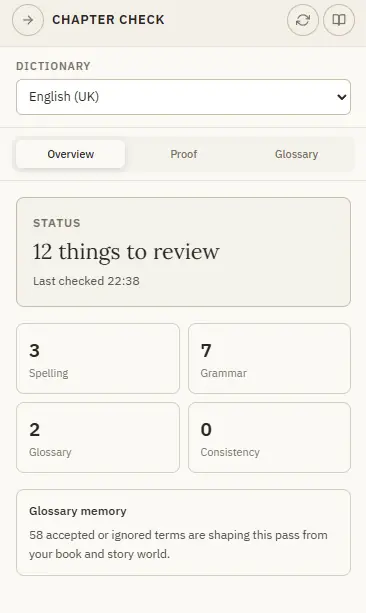
✦Quick start 1Open Chapter Check from the Review menu — it checks the current chapter for you. 2Start on Overview for the counts, then open Proof to work through the issues.
CMwww.chaptermuse.com › Help › Character arcs
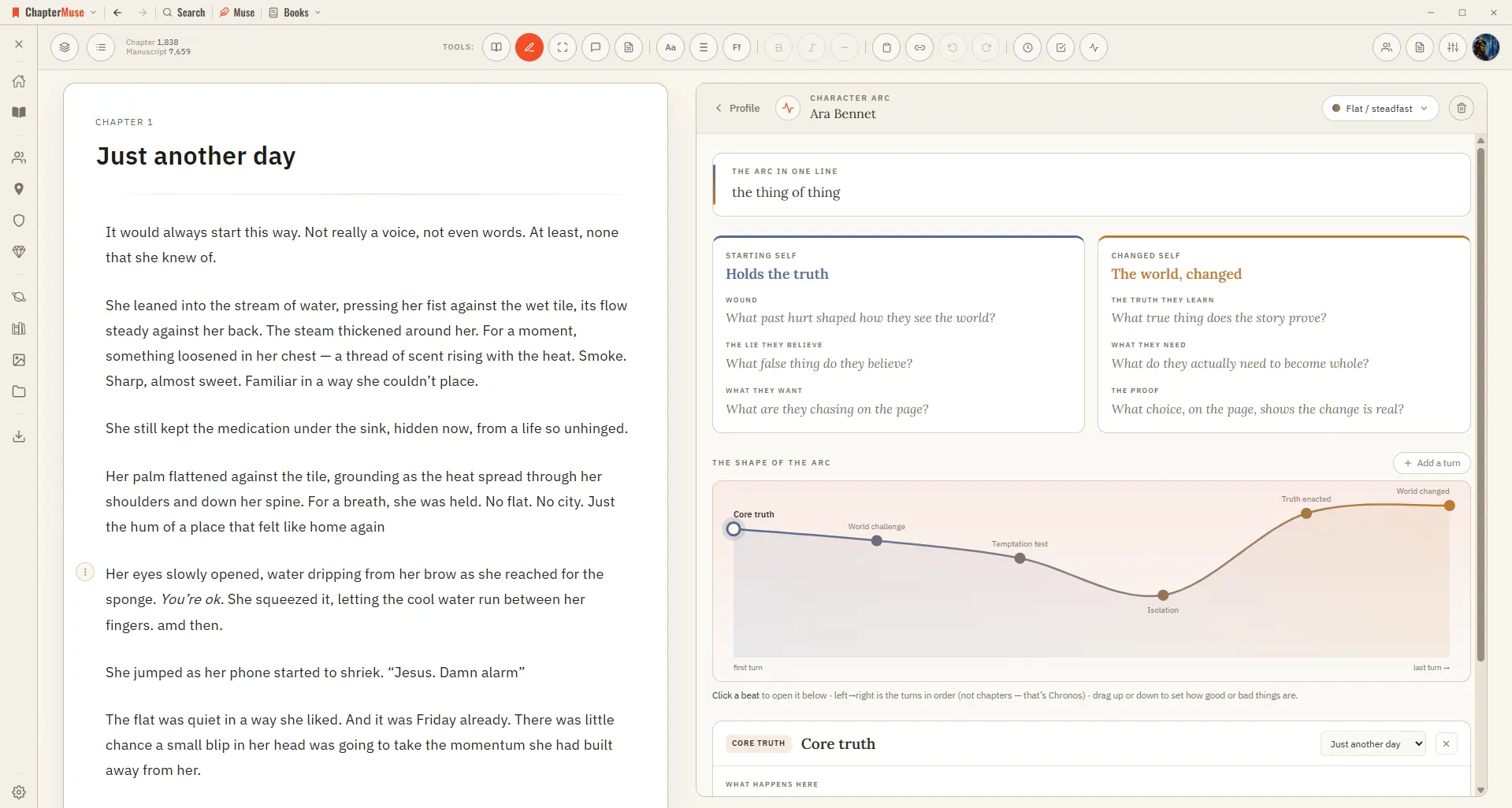
5Switch to the Curve view to see the arc's shape across your chapters.
CMwww.chaptermuse.com › Help › Writing tools
Muse — an AI companion that knows your whole world and proposes additions you approve (Ctrl/⌘-M) Chapter Check — fiction-tuned spelling, dialect, glossary, and consistency, entirely on-device Chapter Analysis — deep AI craft…