CMwww.chaptermuse.com › Feature › Muse
AI Writing Assistant That Never Ghostwrites
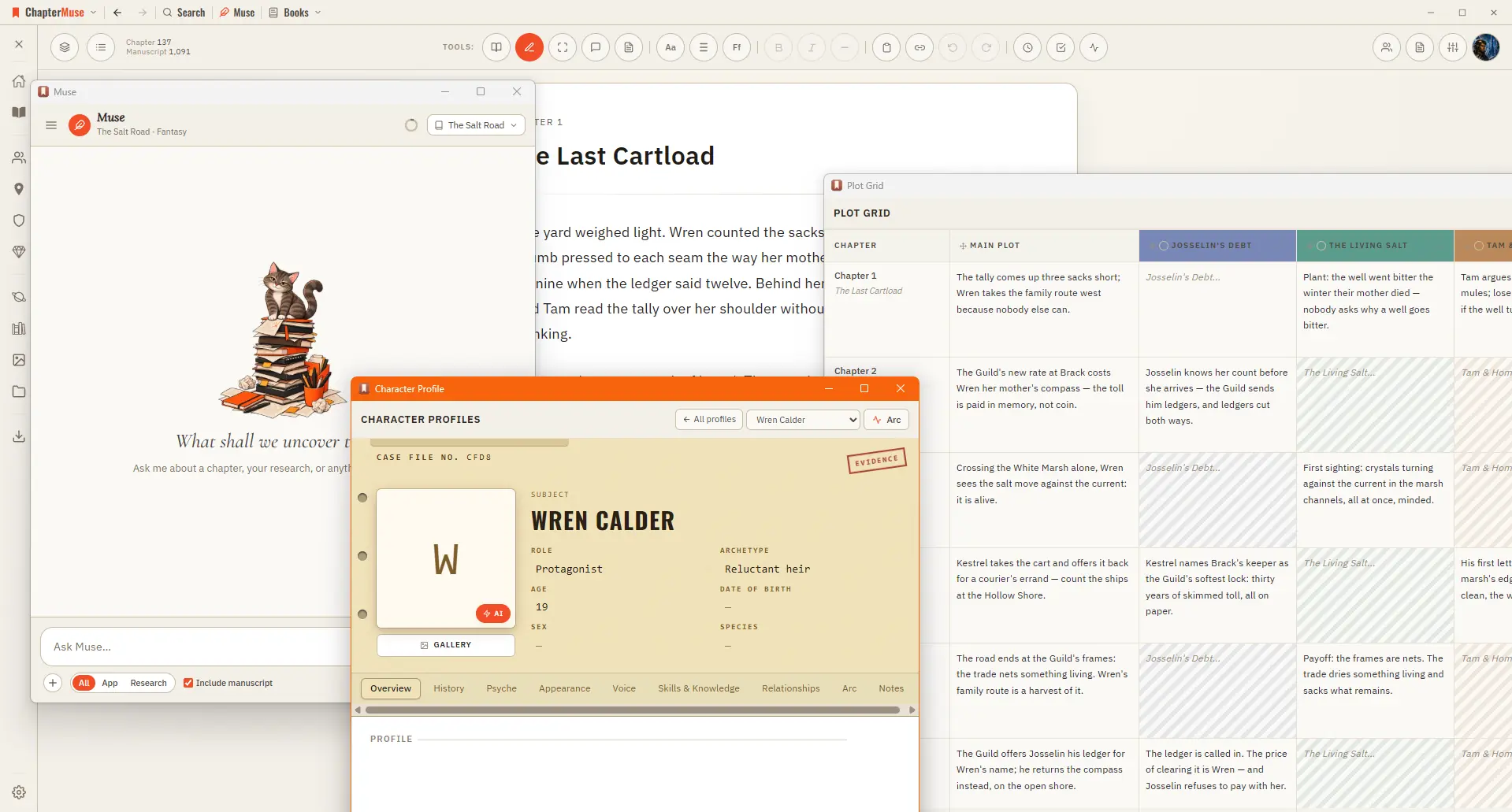
ChapterMuse is a desktop application for Windows and macOS, with the manuscript and story-world data stored on your computer.
About 60 results (0.026 seconds)
CMwww.chaptermuse.com › Feature › Muse
ChapterMuse is a desktop application for Windows and macOS, with the manuscript and story-world data stored on your computer.
CMwww.chaptermuse.com › Help › Manuscript lens
4Click any finding to jump to it — echoes, world mentions, and repeated phrases highlight the exact instance; prose findings open the chapter.
CMwww.chaptermuse.com › Help › Research
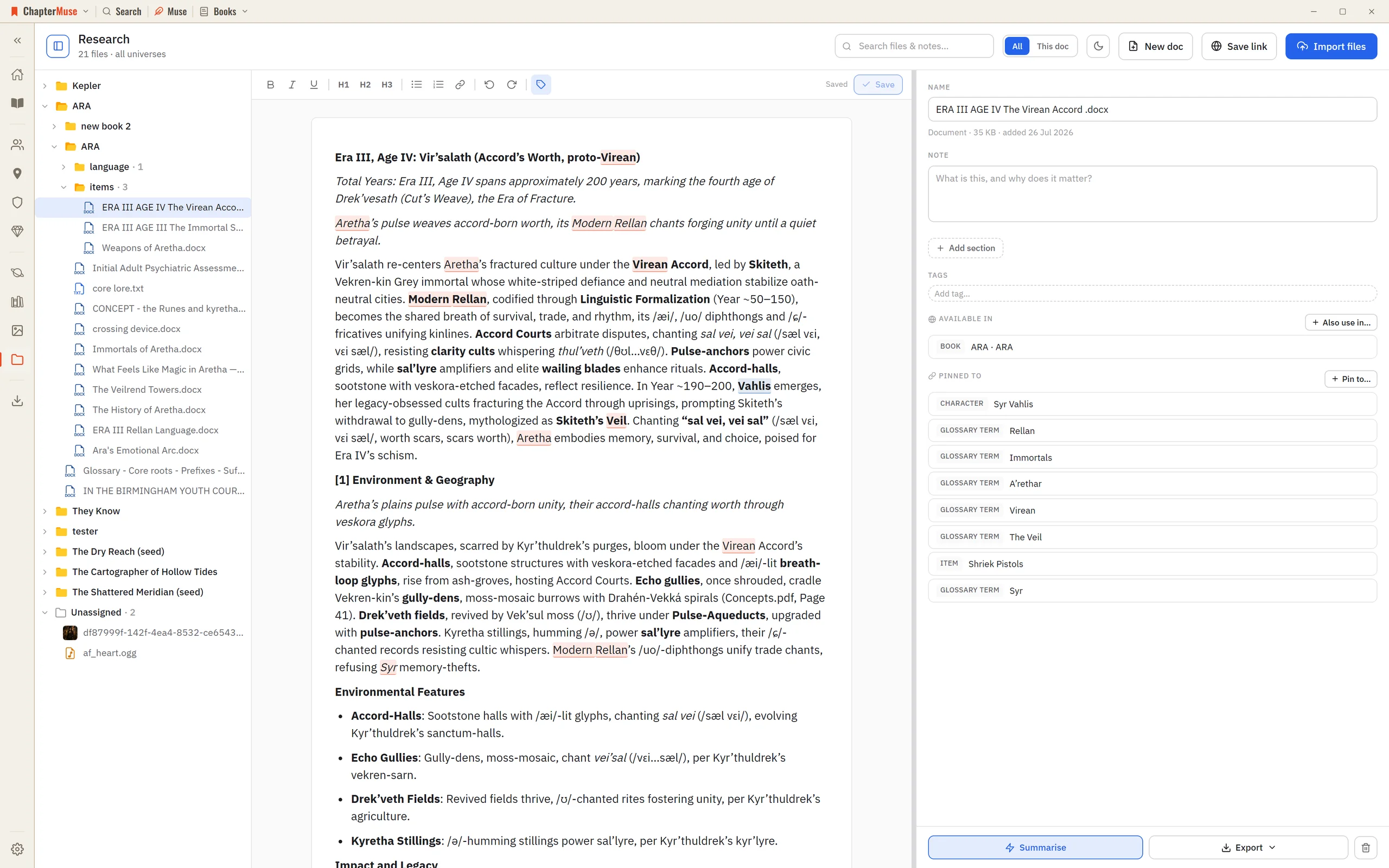
The Research Center is a calm home for all of it: import files, preview them in place, and pin each one to the parts of your story world it relates to.
CMwww.chaptermuse.com › Help › Pulse
✦In a book-scoped chat, Muse can read the latest saved Pulse and compare its curve with a saved Chapter Analysis. It uses the report already on your device and does not generate a new Pulse; only the ordinary Muse chat reply is…
CMwww.chaptermuse.com › Help › Beta readers
In the whole writing studio Move from protected checkpoints through proofing, craft analysis and whole-book signals. See the revision workflow
CMwww.chaptermuse.com › Help › Navigation
A central Tools strip holds Read / Edit / Focus mode, To-dos, Chapter Notes, the Outliner button, the workspace-view picker, your type controls (font, size, spacing), bold / italic / em dash, copy & paste, a "highlight…
CMwww.chaptermuse.com › Feature › Book formatting
Beside each one sits a row of live values: the title, the author, the word count exact or rounded the way a submission is, the number of chapters, today's date, this year.
CMwww.chaptermuse.com › Page
See what ChapterMuse does — the desktop writing studio, its story-world tools and its export formats Compare the three lifetime licences — Each licence paid once Read the field guide — sixteen long pieces on the hard parts of…
CMwww.chaptermuse.com › Help › Chapter history
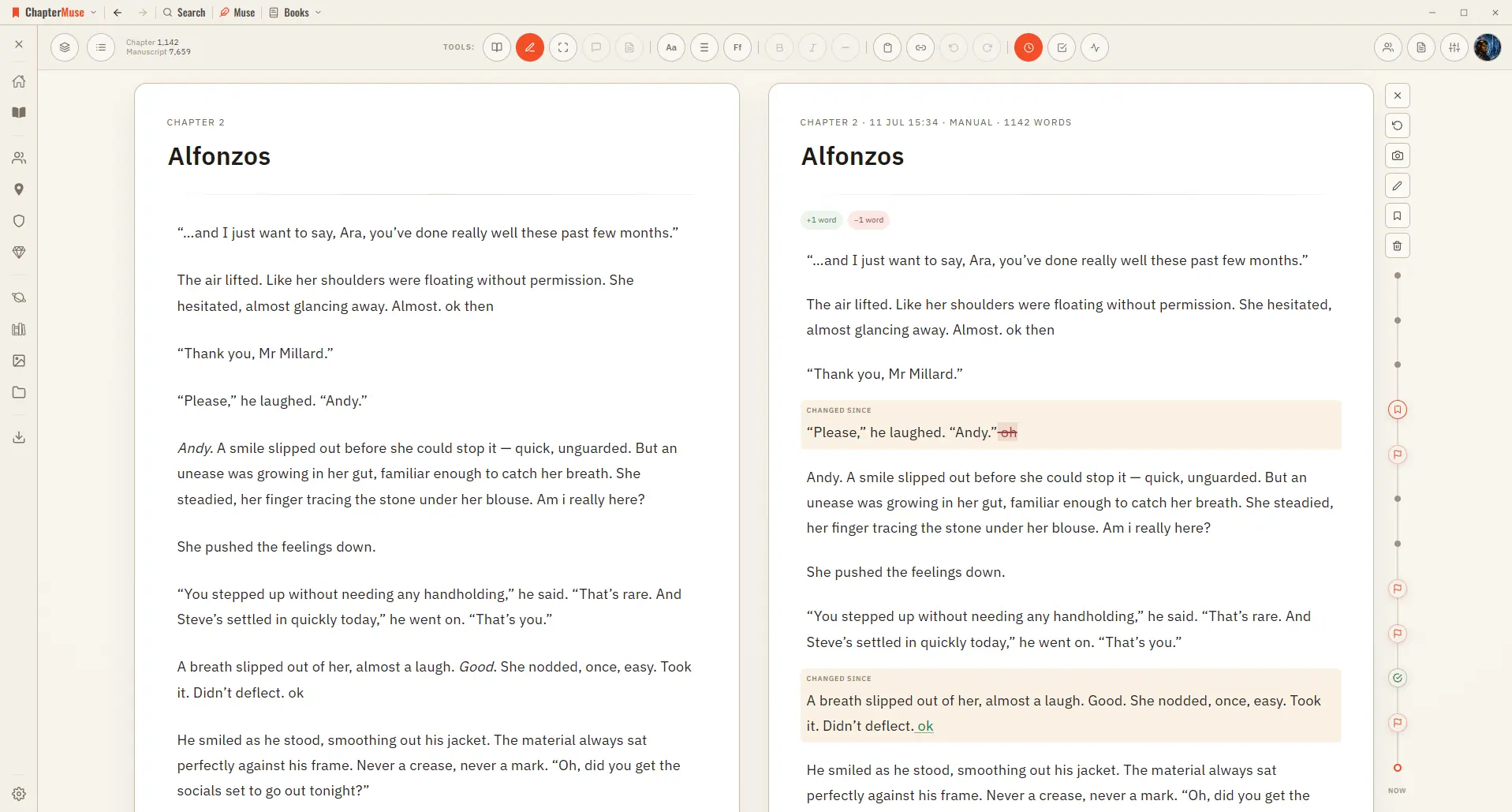
Open Chapter History and your past versions appear on a timeline right beside your living page, so you can scrub back, compare, and restore with confidence.
CMwww.chaptermuse.com › Help › Muse
It inspires, grounds its suggestions in real craft and your own research, and asks the question that helps you find your words.