ChapterMuse

Search results for beat sheet

About 63 results (0.036 seconds)

CMwww.chaptermuse.com › Help › Outliner

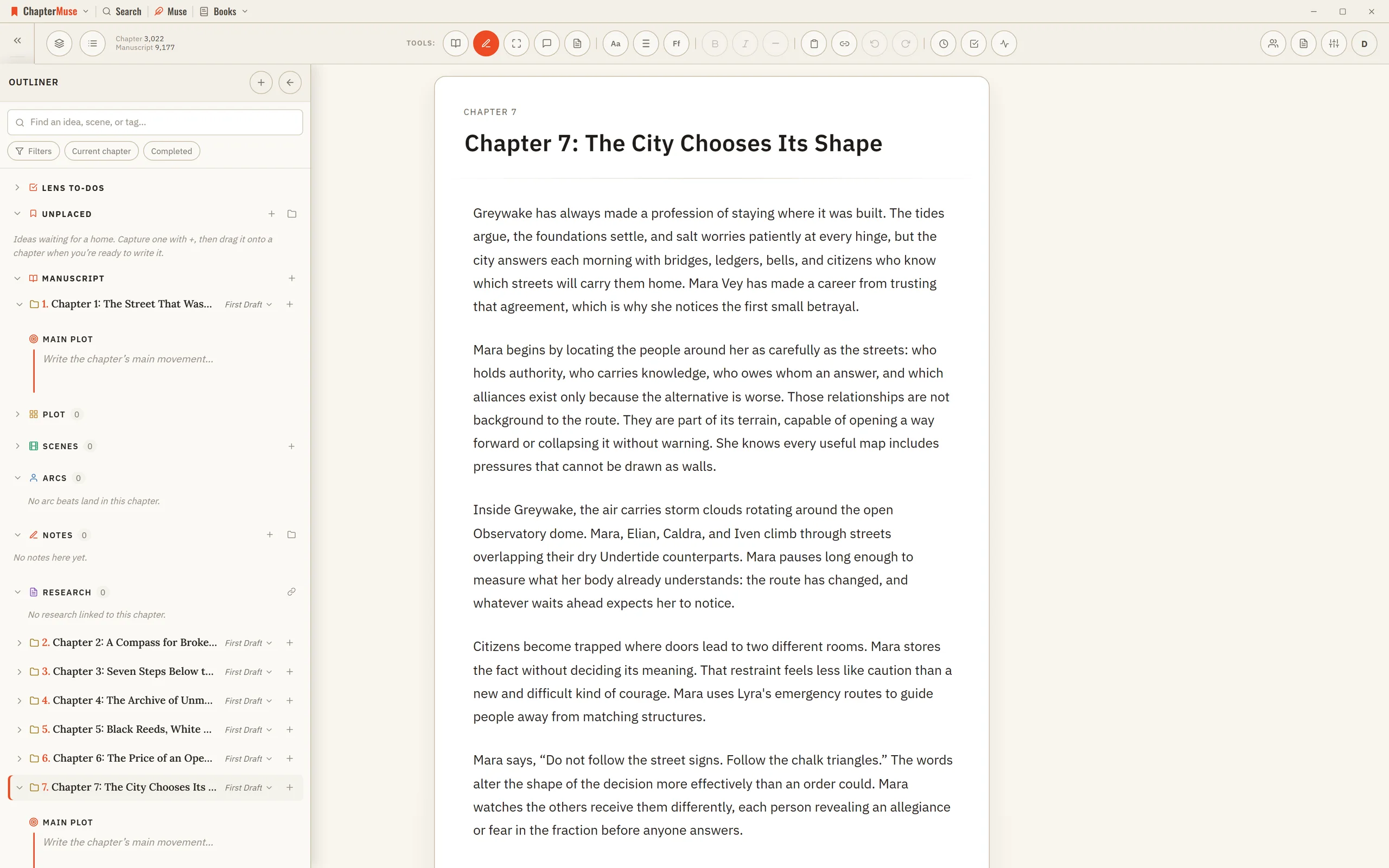
Outline a Novel Beside the Manuscript

Updated 4 September 2026 Open Outliner from its button in the main toolbar when you want to plan and write at the same time.

CMwww.chaptermuse.com › Help › Character arcs

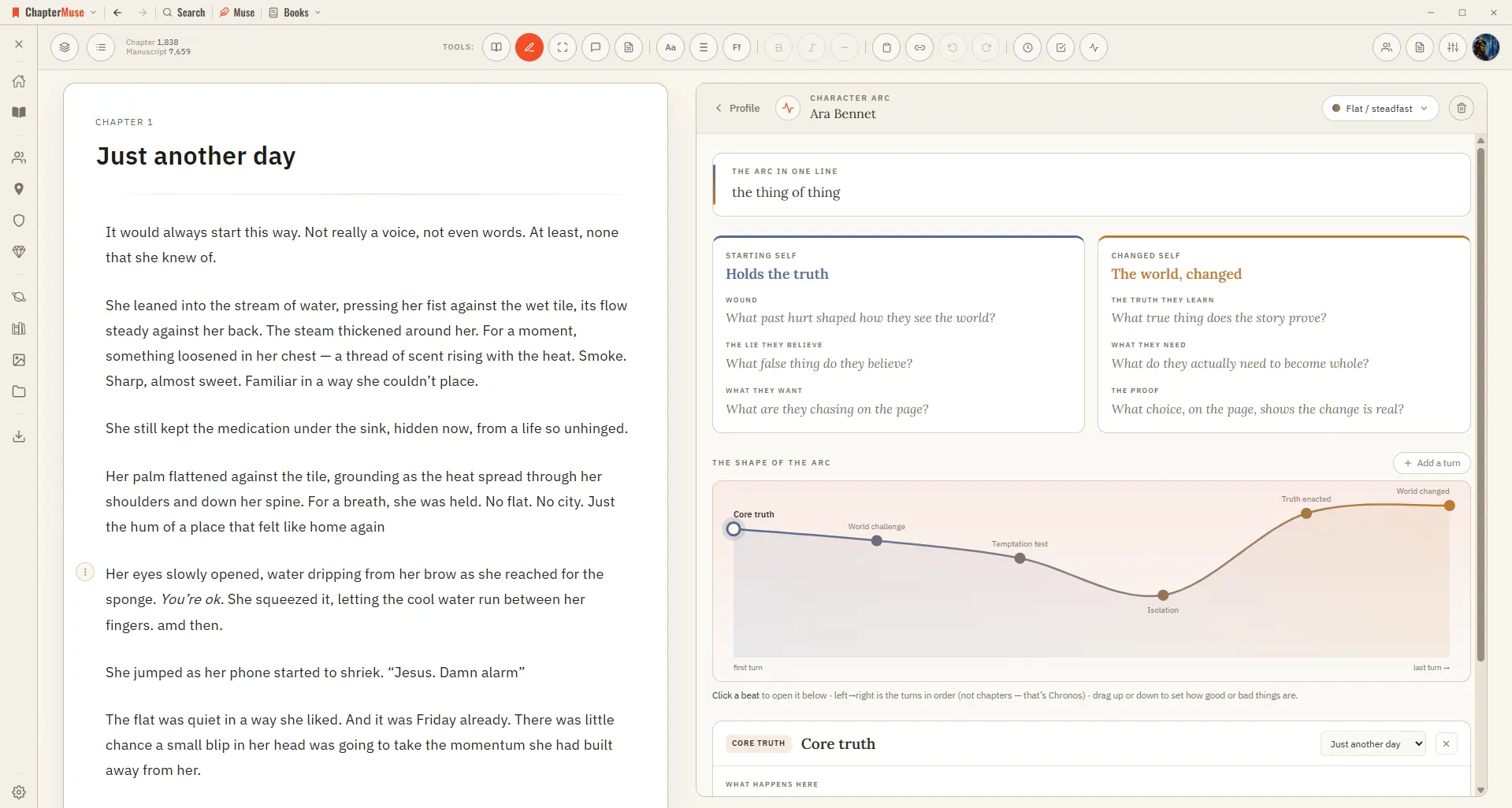
Map Character Arcs Across a Novel

From a character's sheet, open the Arc Map and pick an arc type — Positive change, Corruption, Fall, and more. ChapterMuse lays down a suggested sequence of beats you can keep, rename, or replace, then you fill each beat with…

CMwww.chaptermuse.com › Help › Scene designer

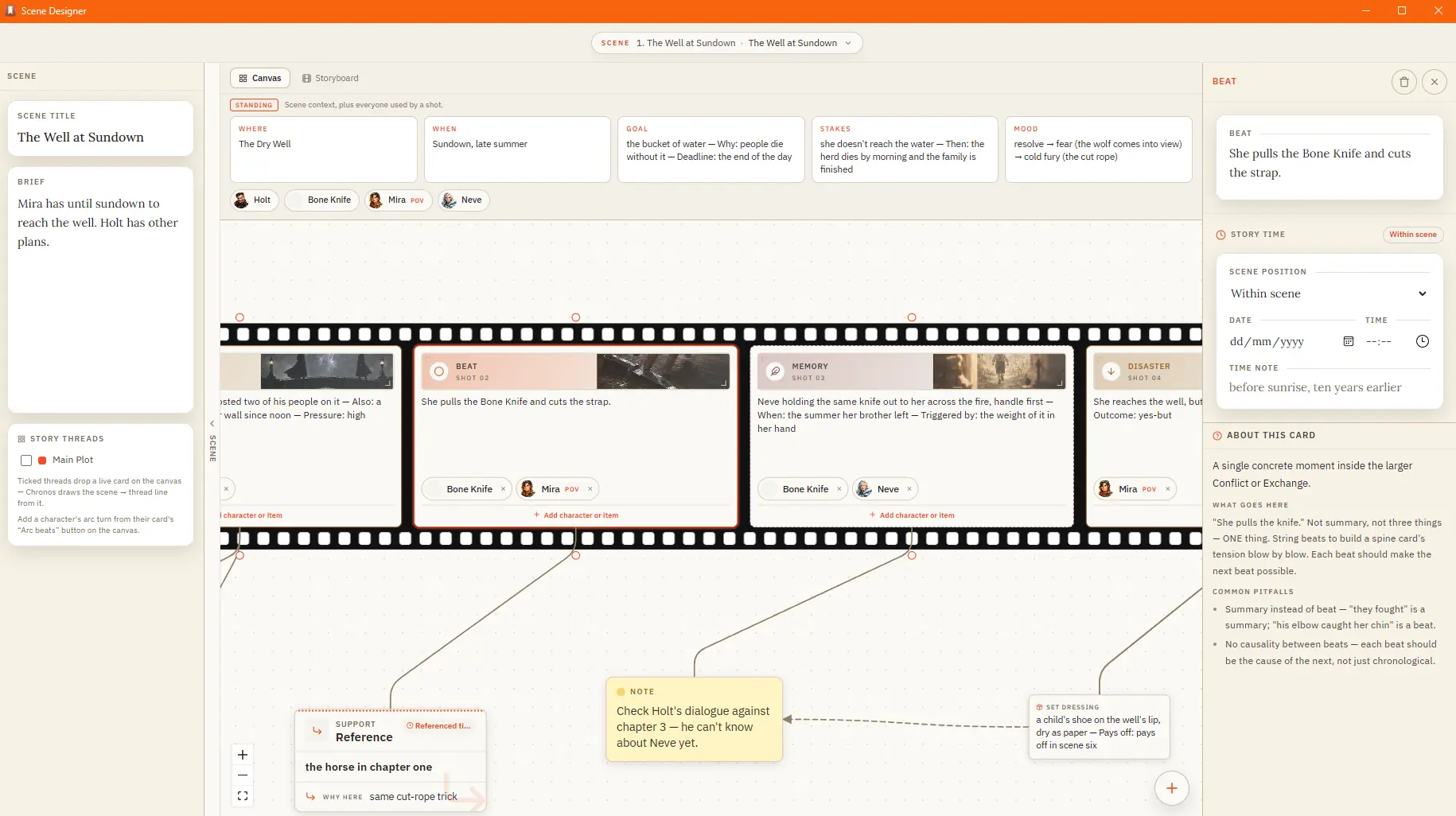
Plan a Scene Beat by Beat

A standing band above the strip holds the scene's conditions and its cast — the characters and items in play Attach sensory, subtext, or set-dressing cards to a shot; they ride in the gutter beside it The shelf keeps your craft…

CMwww.chaptermuse.com › Help › Plot grid

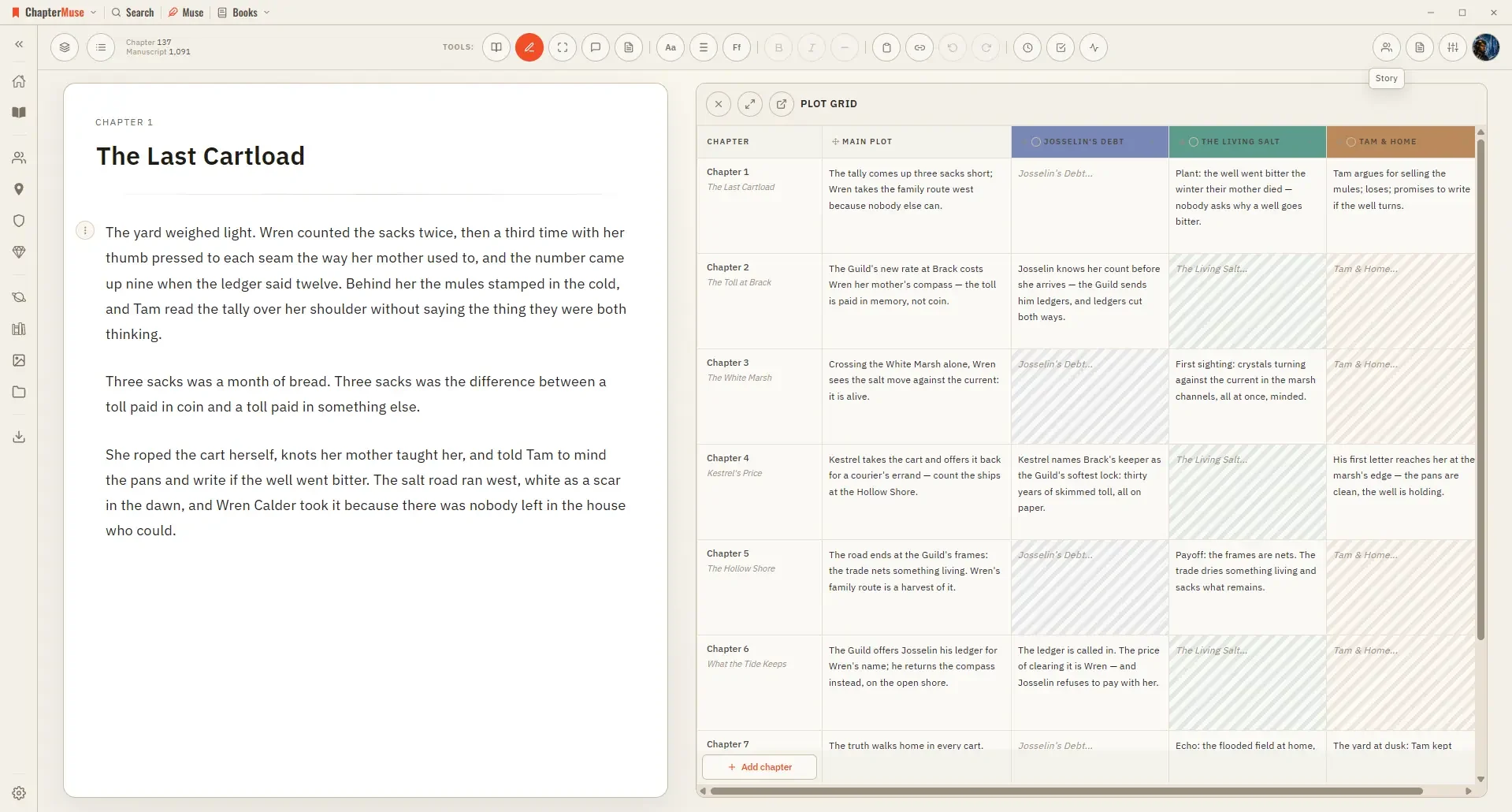
Track Plots and Character Arcs in a Plot Grid

Updated 4 September 2026 The Plot Grid lays your book out as a spreadsheet: each chapter is a row, and each column isa thread you care about — a synopsis, a subplot, stakes, a point of view.

CMwww.chaptermuse.com › Help › Characters

Create Character Profiles for Your Novel

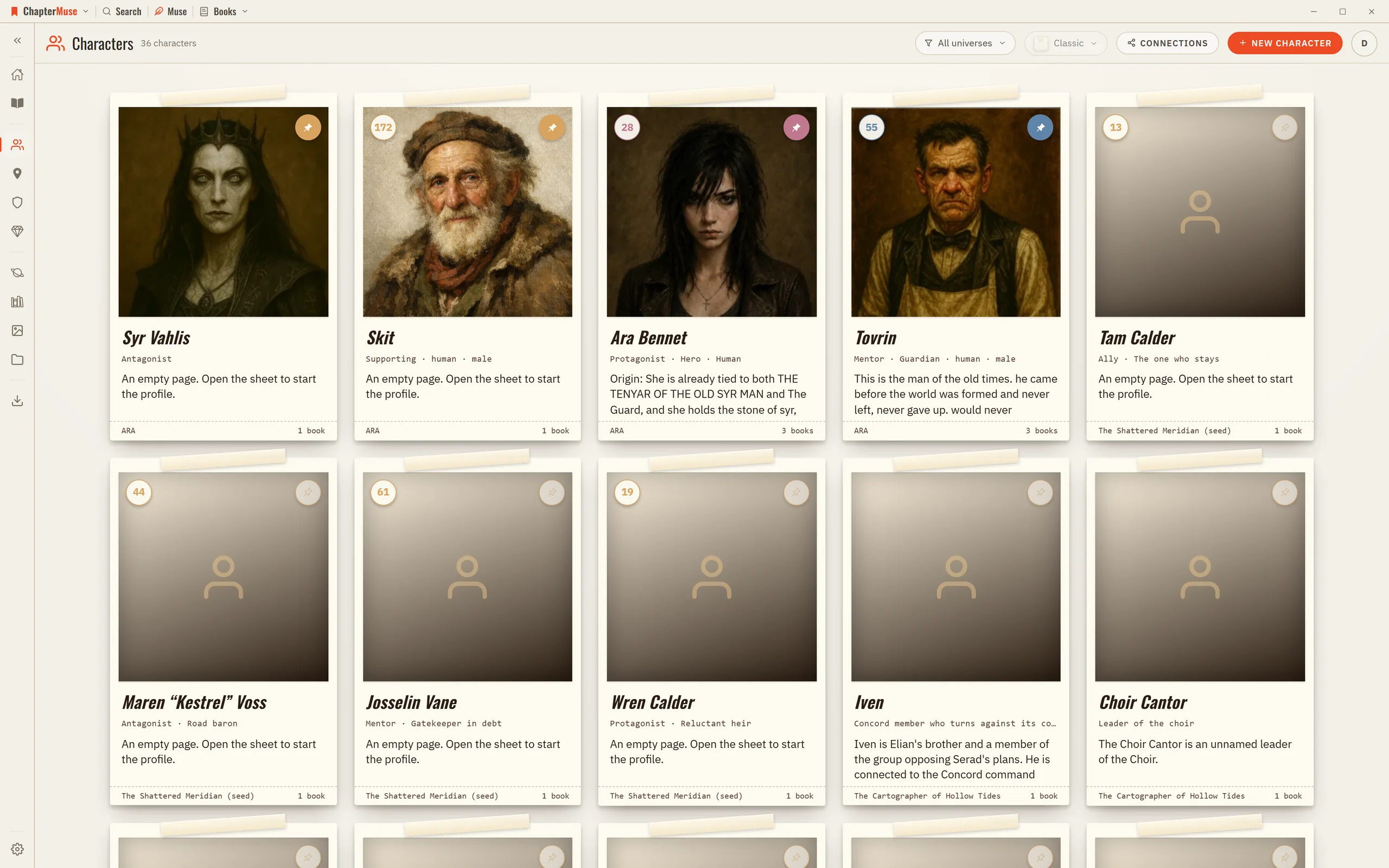
The library is a grid of character cards; click one to open its sheet on the right and fill it in. Everything saves as you go, and an untouched character quietly removes itself if you close it without adding anything.

CMwww.chaptermuse.com › Help › Chronos

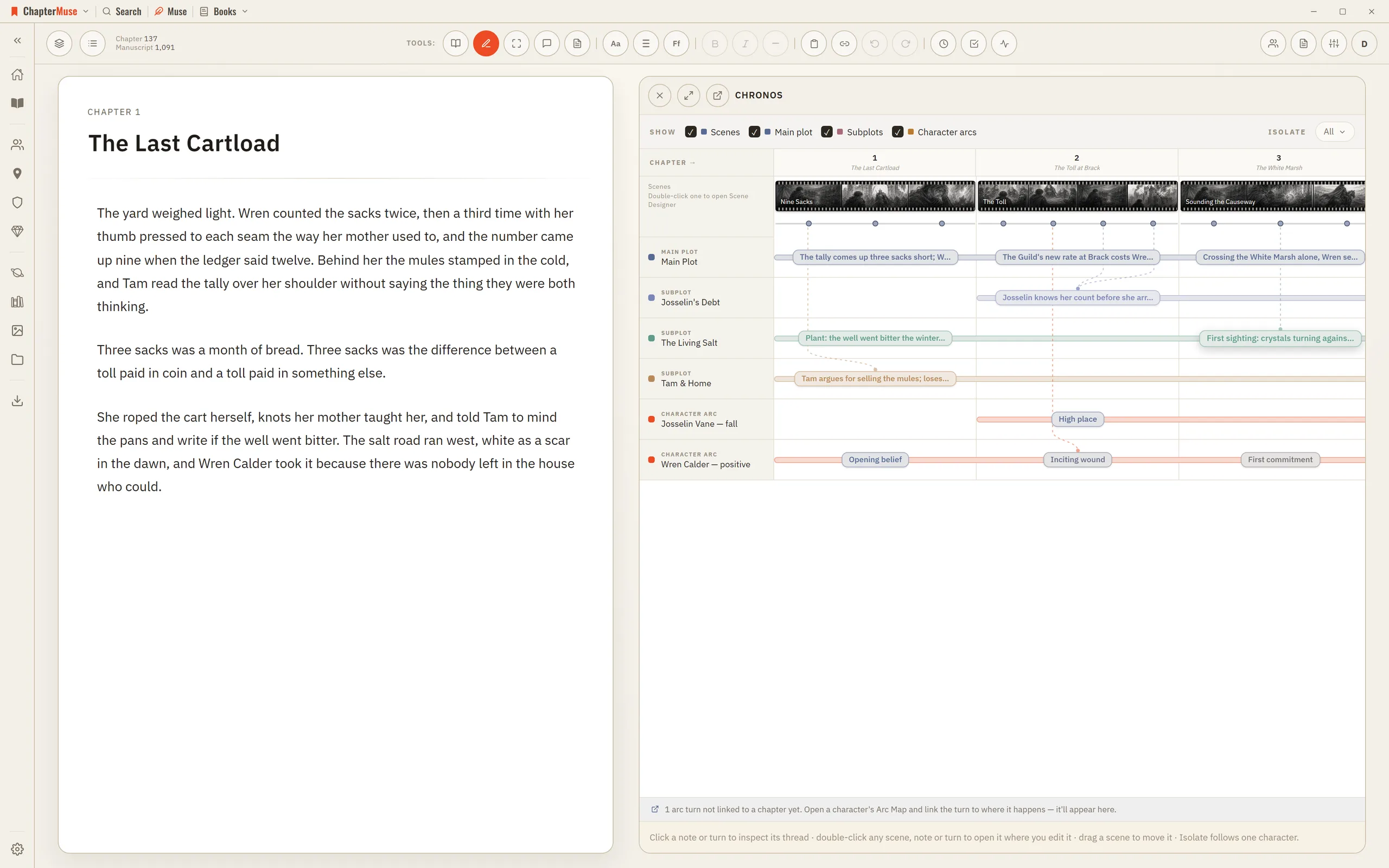
Build a Novel Timeline with Chronos

4Drag an arc beat onto a chapter — or onto a specific scene — to anchor where that turn happens. 5Use Isolate to show only what a single character touches.

CMwww.chaptermuse.com › Help › Locations

Build and Track Story Locations

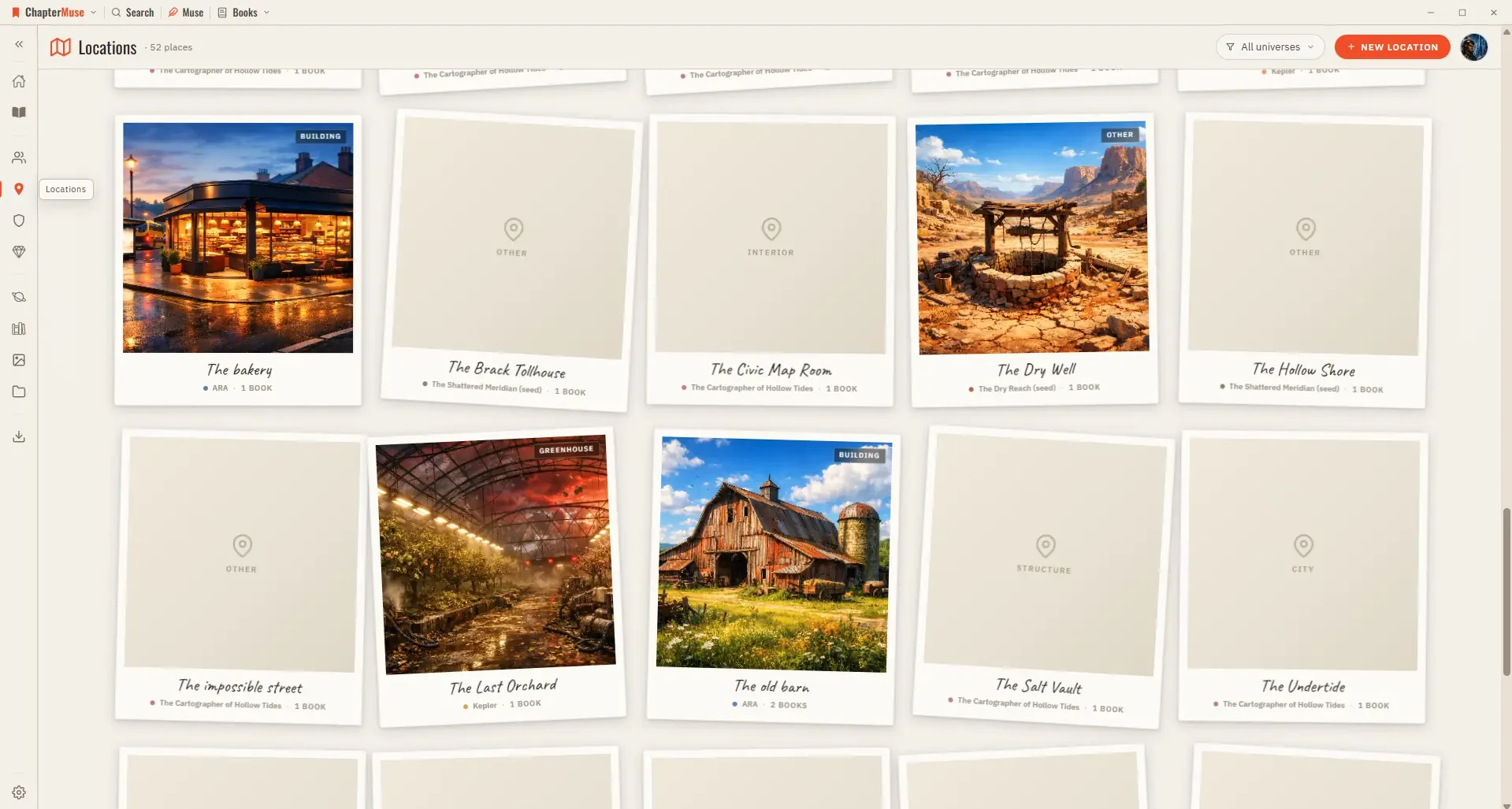
Because locations are shared across your books, a single entry gathers every scene that happens there, wherever it appears in the story.

CMwww.chaptermuse.com › Help › Ai images

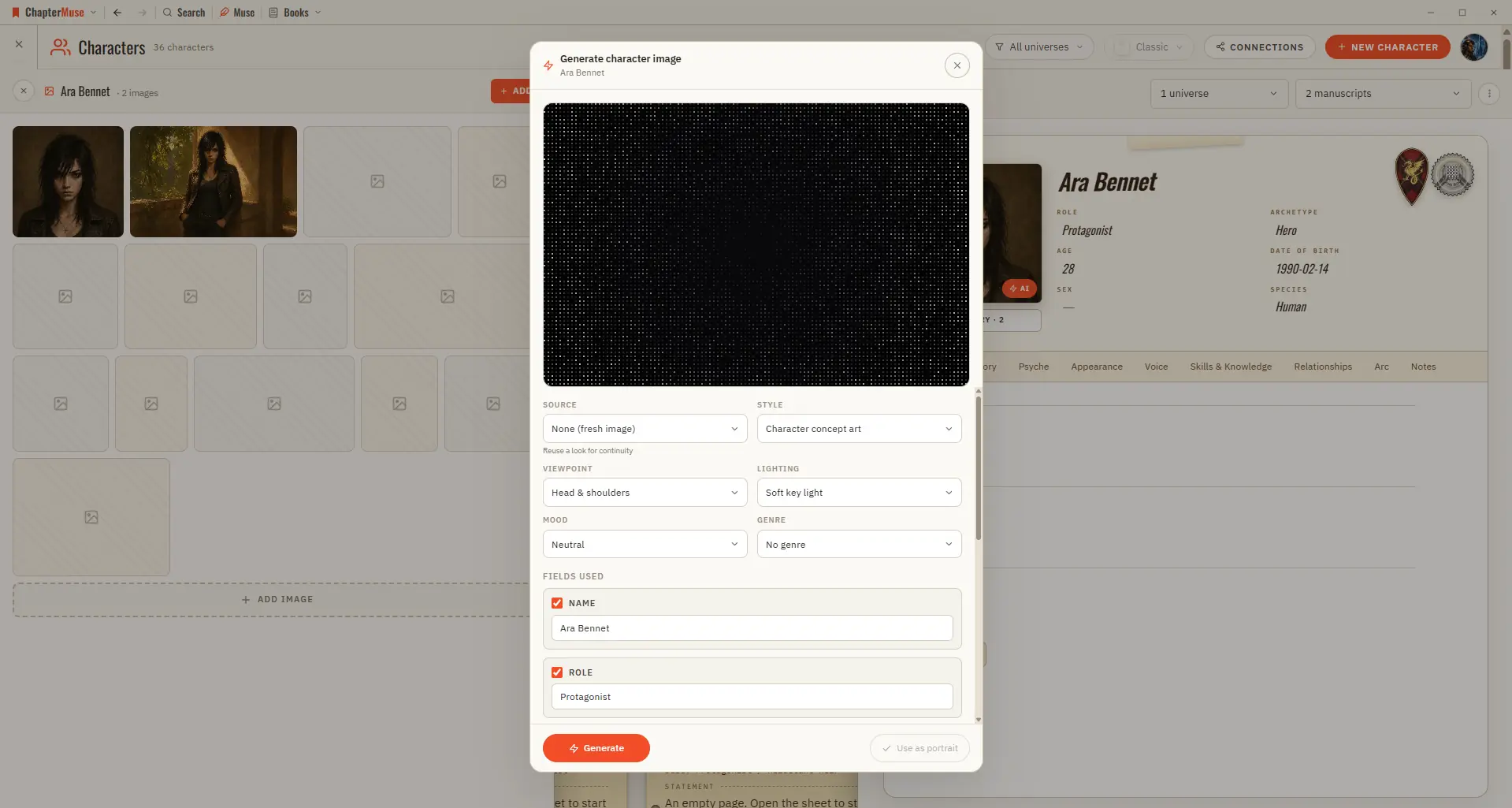
Generate Character and Story-World Images

✦Quick start 1On a character, location, or item sheet, click the Generate (✨) button on the image area. 2Review the prompt — it's pre-filled from the profile; edit it if you like.