ChapterMuse

Search results for world anvil

About 60 results (0.031 seconds)

CMwww.chaptermuse.com › Help › Universes

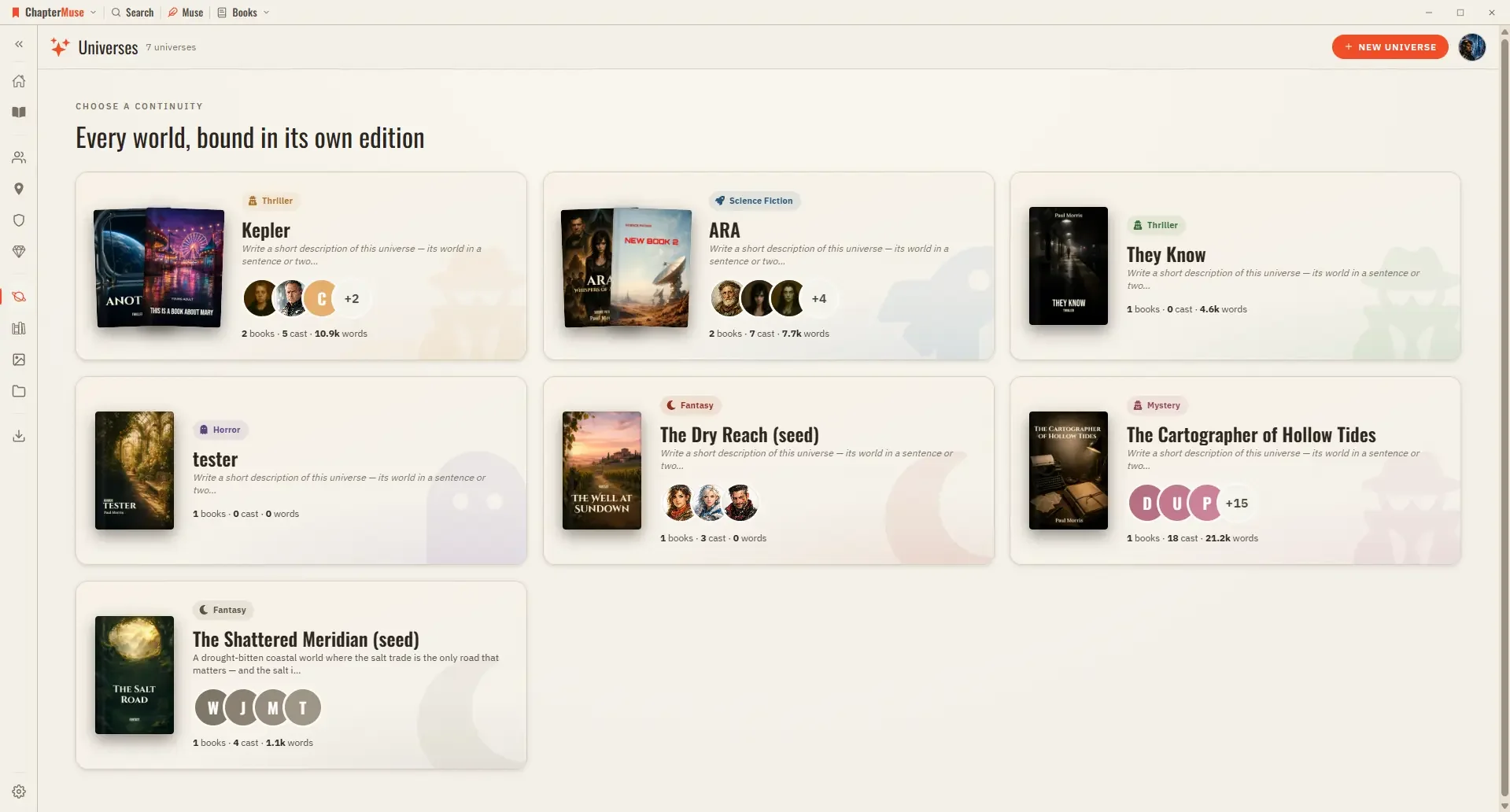
Organise Book Series with Universes and Folios

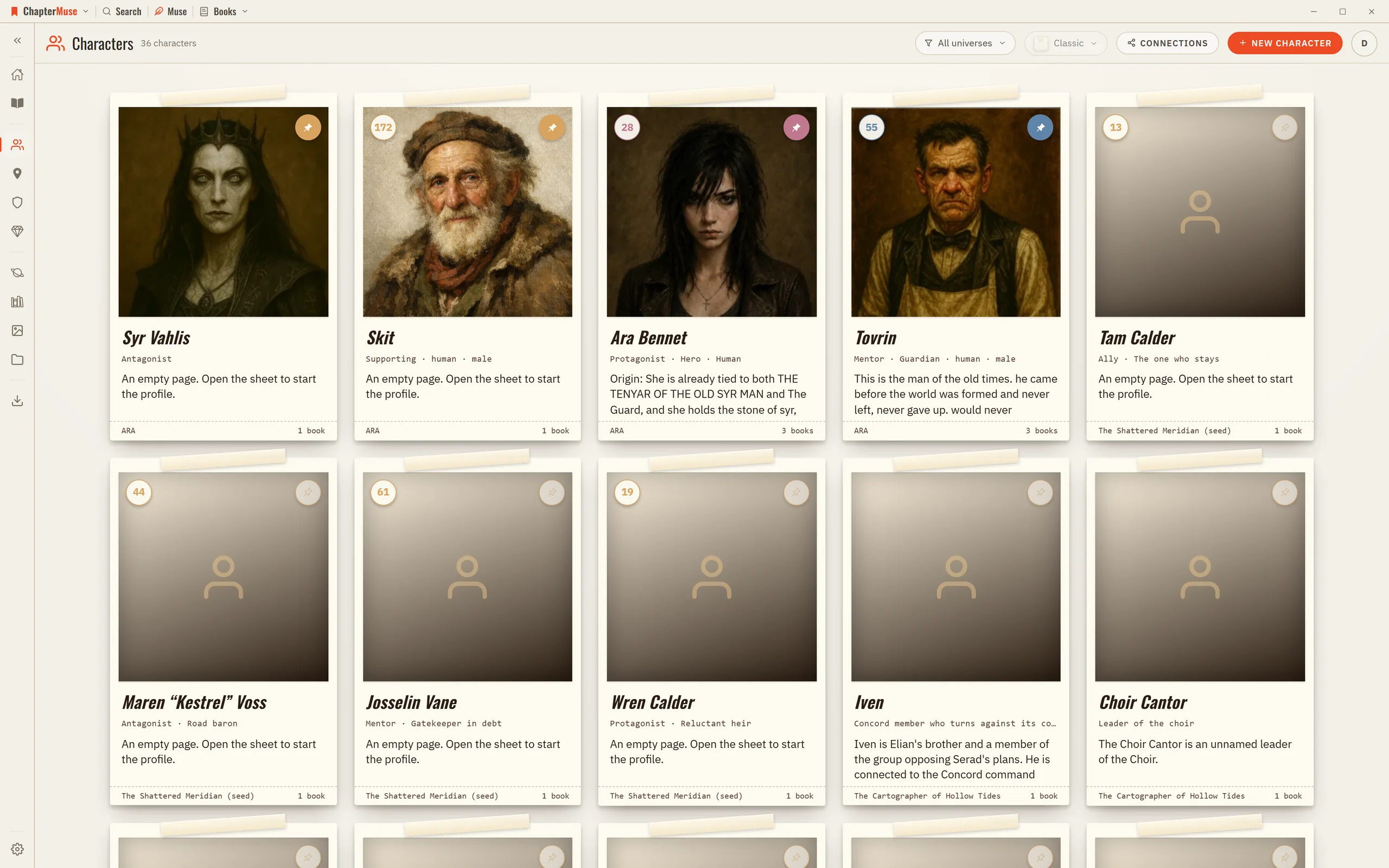
It gathers a book and its world-building in one place, and when a second book joins the continuity, the same character can appear across all of them without being duplicated.
CMwww.chaptermuse.com › Help › Revisions

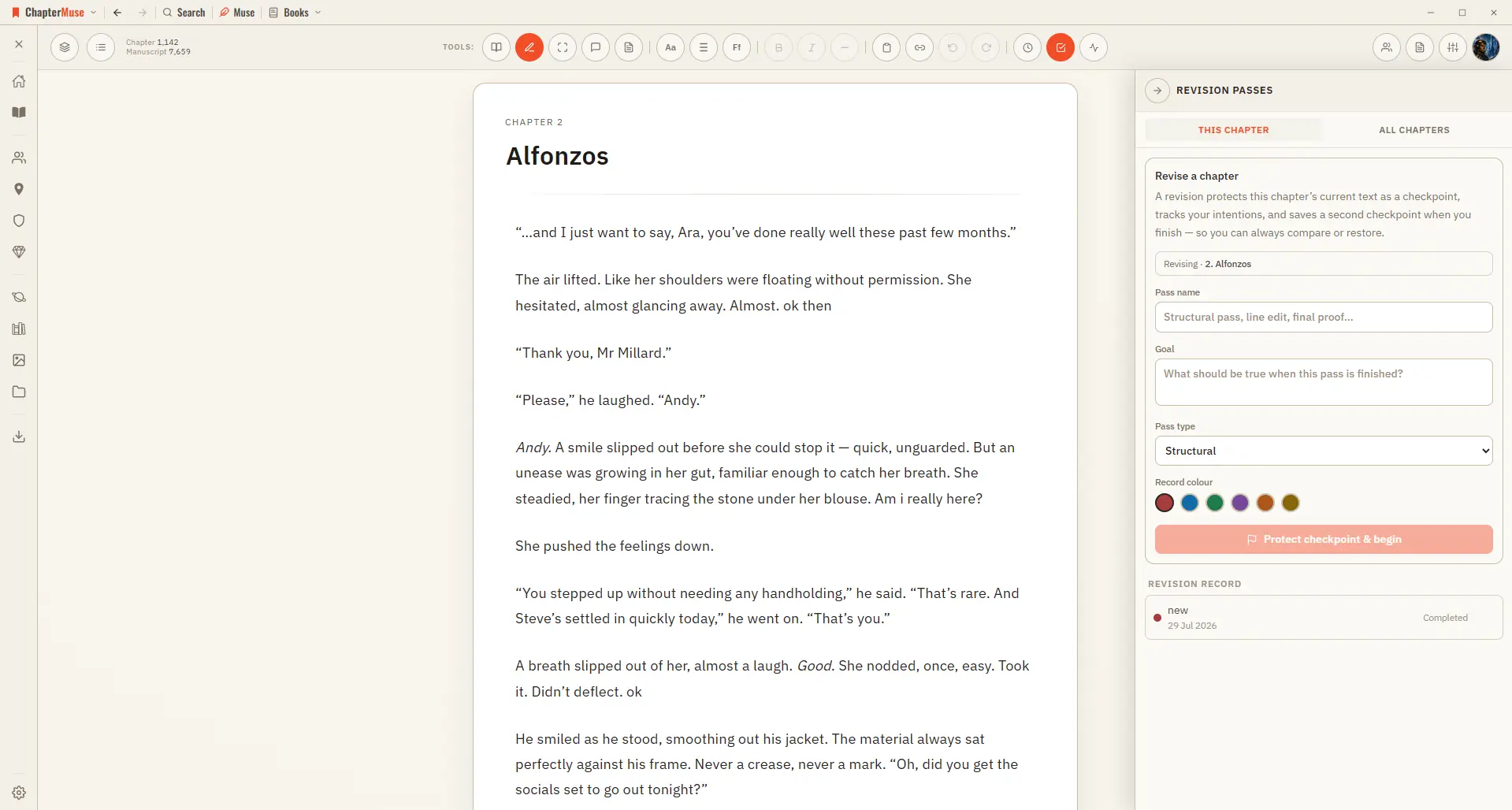
Plan and Track a Novel Revision Pass

Checkpoint comparison shows words inserted and removed plus changed, added, deleted, and moved paragraphs Normal self-revision changes the manuscript immediately; the comparison remains a view, never formatting stored in the prose

CMwww.chaptermuse.com › Help › Manuscript lens

Analyse Themes and Patterns Across a…

4Click any finding to jump to it — echoes, world mentions, and repeated phrases highlight the exact instance; prose findings open the chapter.

CMwww.chaptermuse.com › Help › Navigation

Navigate the ChapterMuse Desktop App

A quick map of the chrome — how you move between books, worlds, and tools without losing your place. Updated 4 September 2026 ChapterMuse keeps navigation quiet and consistent.

CMwww.chaptermuse.com › Feature › Novel revision

Novel Revision and Manuscript Analysis…

ChapterMuse is a desktop application for Windows and macOS, with the manuscript and story-world data stored on your computer.

CMwww.chaptermuse.com › Help › Muse

Use Muse, ChapterMuse's AI Fiction Companion

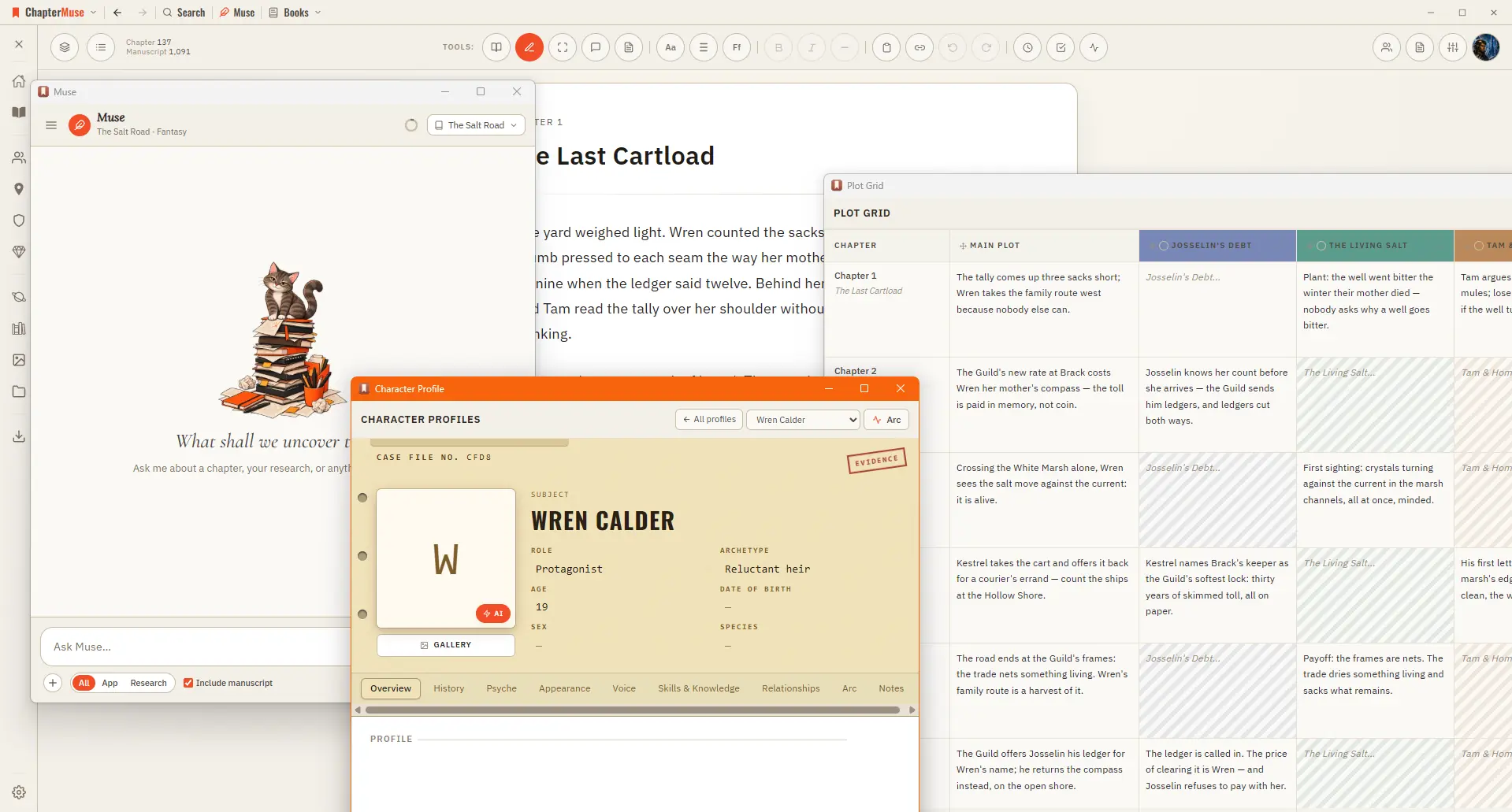
2Ask a question — about a character, a plot thread, or what your world is missing. 3Muse reads the relevant chapters, cards, and research, and answers with its sources linked.

CMwww.chaptermuse.com › Help › Glossary

Link Character Names and Glossary Terms

✦Quick start 1Turn on story-world name highlighting from the Tools strip — the "Highlight story-world names" toggle. 2As you write, known names pick up a subtle underline in their type's colour.

CMwww.chaptermuse.com › Help › Ai images

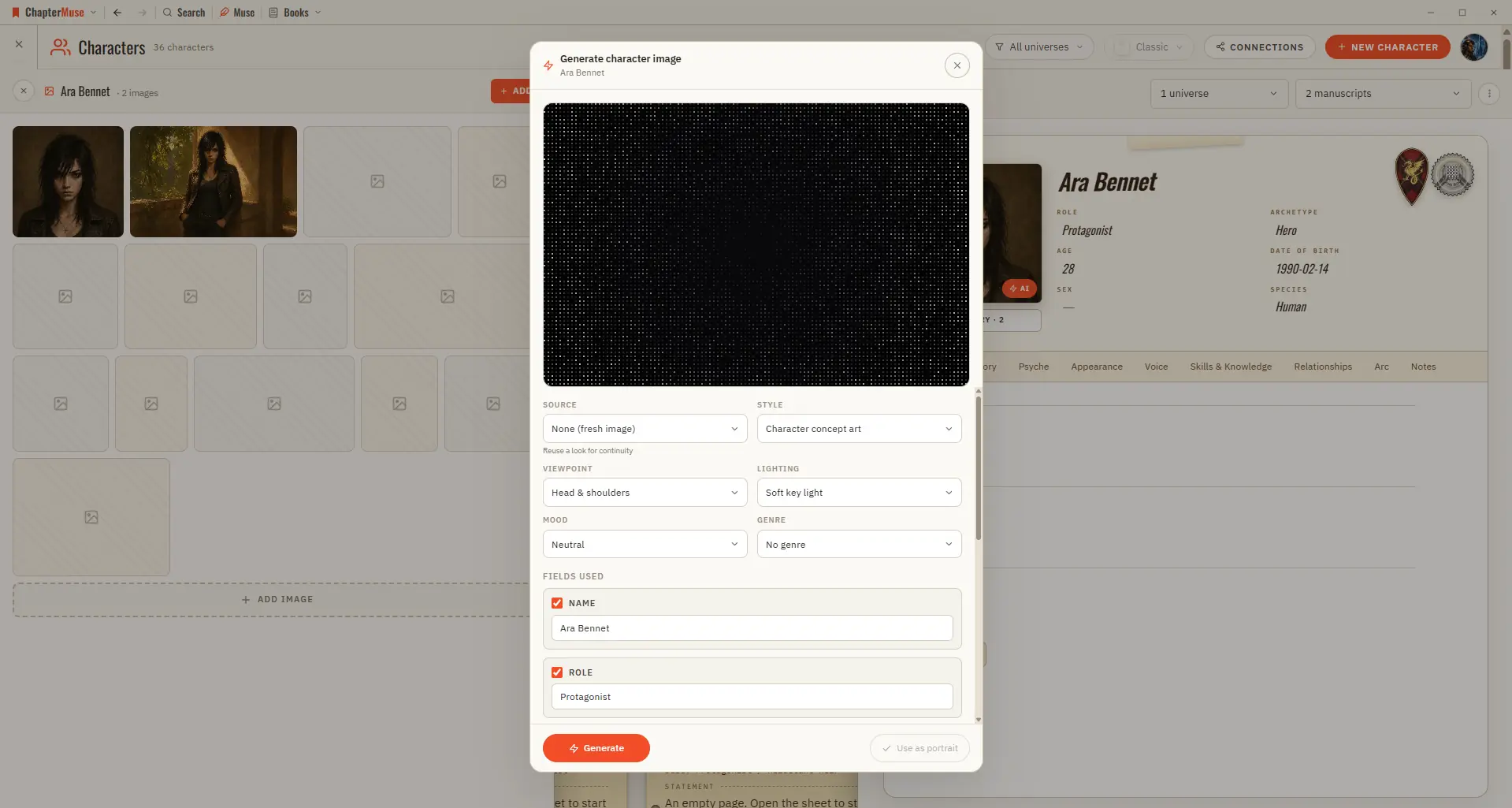
Generate Character and Story-World Images

Bring your world to life visually — a portrait for a character, a vista for a place, a study of an object. Updated 4 September 2026 When words aren't quite enough, you can generate a picture right where you need it — from a…

CMwww.chaptermuse.com › Help › Formatting

Format Novel Text in ChapterMuse

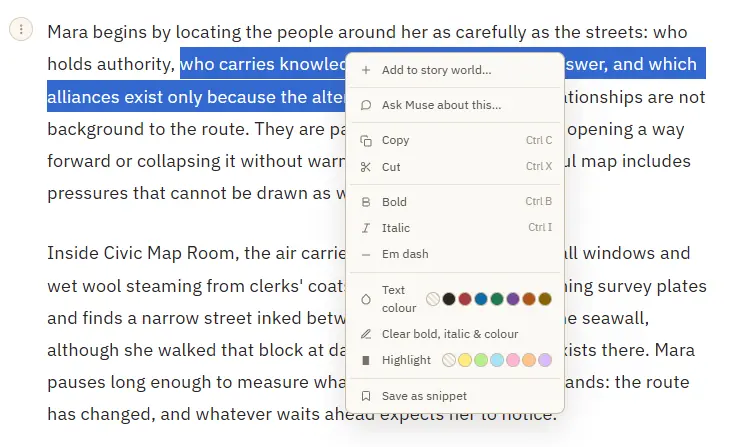
3Select a name and choose Add to story world to create a character, place, faction, or item from it. 4Select text, then right-click and Save as snippet to keep the passage for reuse; with no selection, save the whole paragraph.